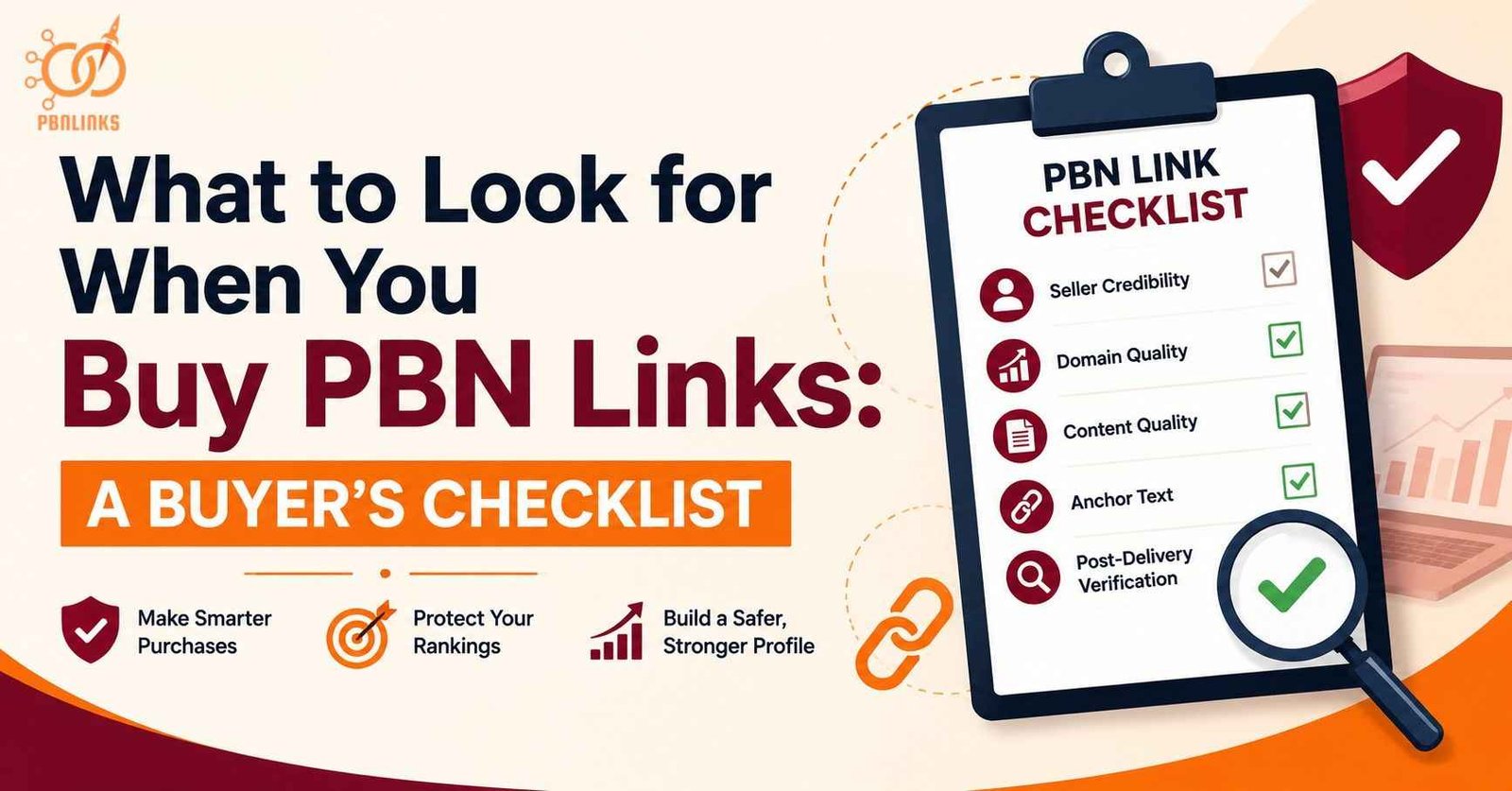
What to Look for When You Buy PBN Links: A Buyer’s Checklist
One wrong PBN link purchase can drop rankings, drain budget, and put your money site at risk. Most buyers check Domain Rating and nothing else. That single metric does not tell you whether a link is safe, relevant, or worth the price.
A buy PBN links checklist is a structured set of checks covering seller credibility,domain quality metrics, content standards, and anchor text. Without it every purchase is a decision made on incomplete information.
Every check that matters is covered here — seller vetting, domain standards, content quality, anchor text, and post-delivery verification. Every step applies to any PBN link purchase regardless of provider or niche.
Why Buying PBN Links Without a Checklist Costs You
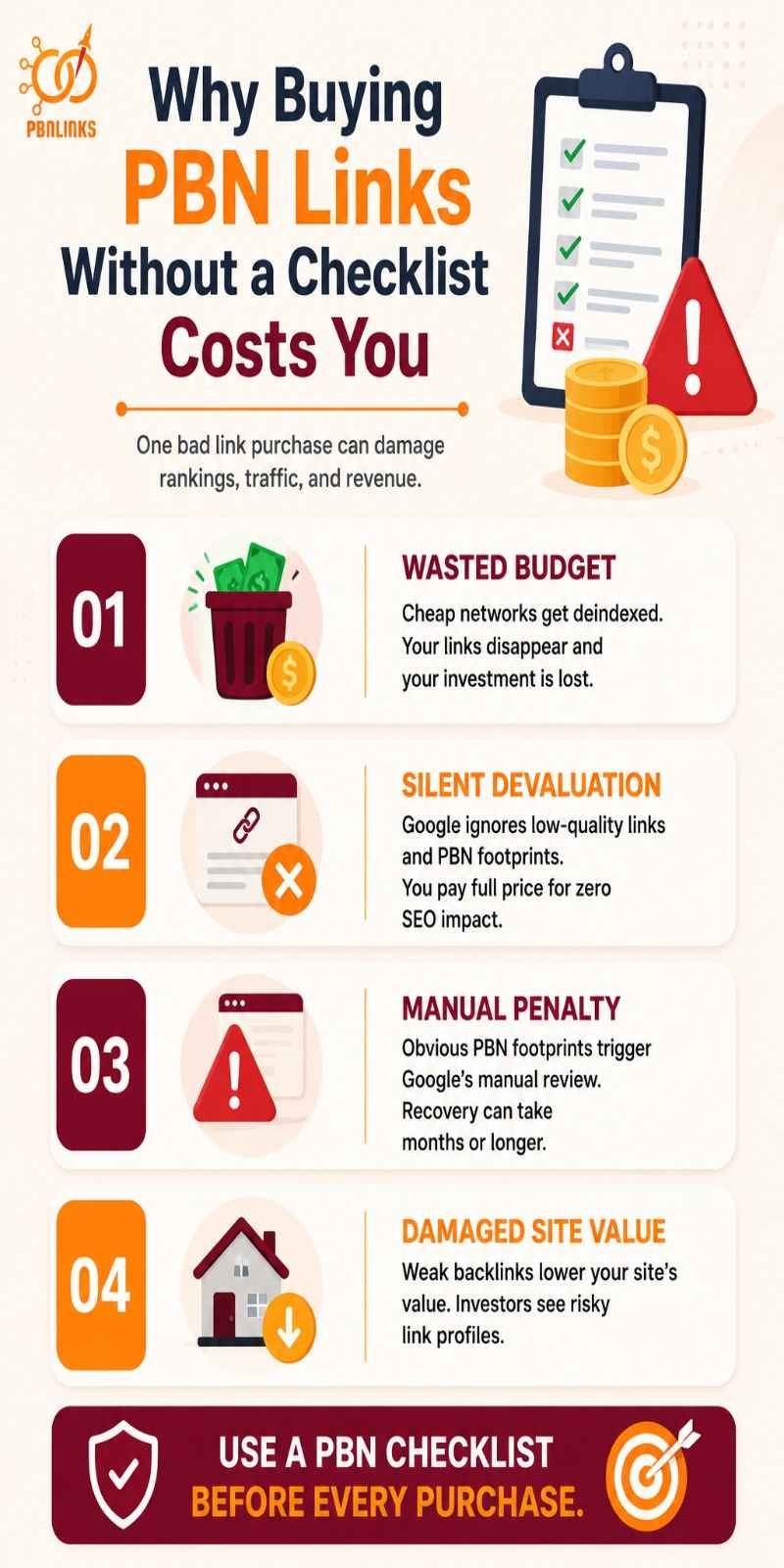
Buying PBN links without a checklist is dangerous. Without proper vetting you risk wasting money. You also risk triggering Google penalties and damaging your money site permanently.
Most buyers discover this the hard way. They pay for links based on a single metric and only see the damage weeks later when rankings drop and the seller is unreachable. Here is exactly what that costs:
- Wasted budget — Many cheap PBN networks are on borrowed time. If the network gets deindexed all your links vanish and your investment disappears with them.
- Silent devaluation — Google SpamBrain detects PBN footprints like shared hosting and unnatural anchor patterns. Instead of a ranking boost Google quietly ignores the links. You pay full price for zero impact.
- Manual penalty — When a PBN footprint is obvious Google issues a Manual Action against your site. Recovery takes months and can wipe out search traffic and revenue entirely.
- Damaged site value — Investors audit backlink profiles before purchasing websites. Low quality PBN links lower your site’s resale valuation significantly.
What a Checklist Prevents
A structured checklist uncovers the true quality of a network before you spend a dollar. It tells you whether the domain has real organic traffic and a clean backlink profile. It also confirms genuine content and a hosting setup that leaves no detectable footprints.
Each check below covers one specific signal, what to look for, and the red flag that means walk away.
How to Vet a PBN Link Seller Before Paying
Vetting a PBN link seller means verifying their track record, transparency, methodology, and delivery standards before placing any order. The seller you choose determines the quality of every link in your campaign.
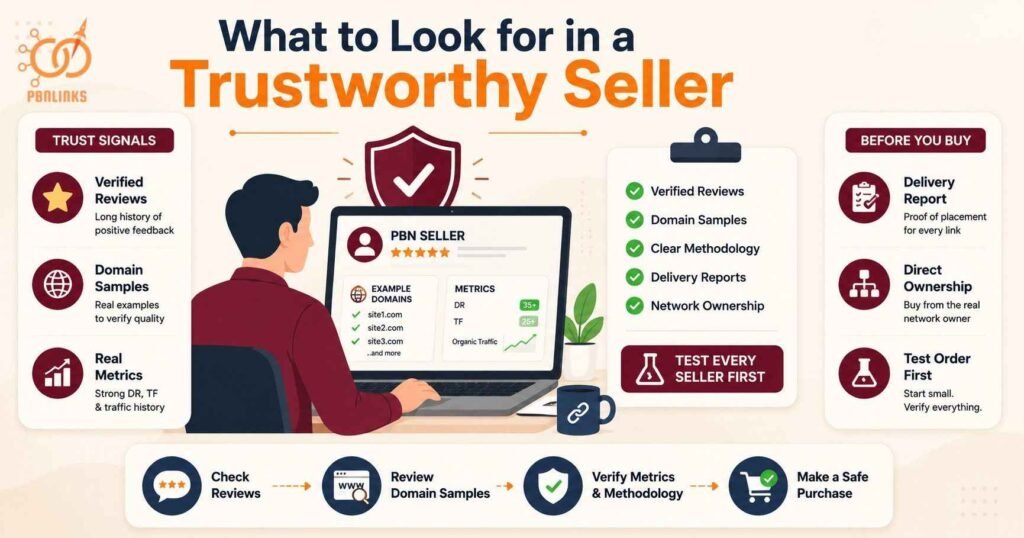
What to Look for in a Trustworthy Seller
A verified public track record
Look for a seller with a long history of verified reviews on a transparent marketplace. Hundreds of recent positive reviews from real buyers with order history is the strongest trust signal available. Check review dates — a genuine seller has consistent reviews over months and years not a sudden cluster of five star ratings.
Willingness to share domain samples
A credible seller shares 5 to 10 example domains before you pay. Verify each sample in Ahrefs or Majestic. Check DR, TF, organic traffic history, and backlink profile quality. A seller confident in their network quality has nothing to hide.
A clear and explainable methodology
The seller should explain exactly how they vet domains, manage hosting diversity, create content, and avoid footprints. Ask directly. A responsible seller answers confidently. A seller who deflects or gives vague answers is not managing the network to a standard worth paying for. Knowing the PBN domain metrics that matter before you buy helps you ask the right questions and spot weak answers immediately.
Transparent delivery with a written report
Every placement should come with a delivery report showing the live URL, the post containing the link, the anchor text used, and a screenshot confirming placement. If a seller cannot provide this after delivery they cannot prove the link exists. According to Keyserp’s 2026 vendor due diligence guide generic spreadsheets with just domain names and DR scores are red flags. Transparency costs nothing and opacity hides problems.
Direct network ownership
The seller should own and manage the network directly. Reseller chains where payment passes through multiple parties mean no single person has verified the placement for quality. Always confirm the seller owns the domains they are selling links from.
Test every new seller first
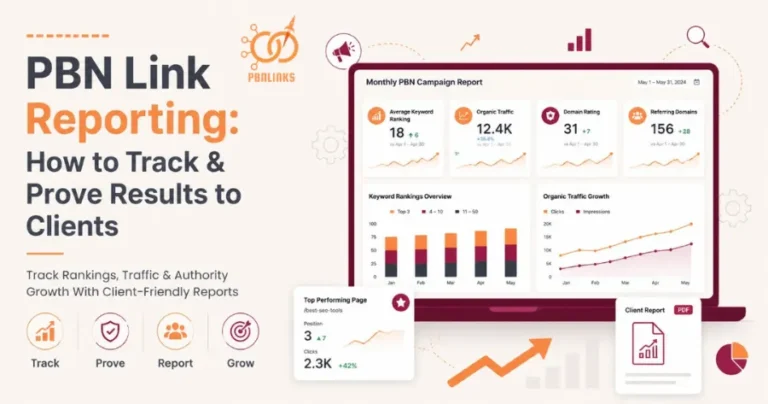
Before committing to volume place a test order of 3 to 5 links. Verify every link manually after delivery. Check indexing, content quality, anchor text accuracy, and domain metrics against what was promised. Tracking results correctly from day one using a structured PBN link reporting process makes it easy to compare sellers and identify who actually delivers what they promise.
Red Flags That Disqualify a Seller
Walk away immediately from any seller showing these signals:
- Guaranteed rankings — no legitimate PBN seller can guarantee specific outcomes. Any seller making this claim is being dishonest
- Pricing below $80 per link — links at this price point are almost always low quality PBN inventory with manipulated metrics and no genuine authority
- PBN site lists for sale — lists sold to hundreds of buyers mean overused spammed out domains that Google has almost certainly already flagged
- No delivery report — a seller who cannot show you the live link after placement cannot prove it exists or meets any quality standard
- No replacement policy — a quality seller stands behind their work. No accountability after payment means no protection for the buyer
- Pressure to order in bulk immediately — legitimate sellers welcome test orders. A seller pushing large volume before you have verified their quality is prioritising their revenue over your campaign results
According to a 2025 survey of 518 SEO professionals by Editorial Link 89 percent identified spammy outbound links as the biggest red flag when assessing a site for link placement and 86 percent flagged low quality content as a major warning sign.
Domain Quality Metrics to Check Before Buying
Domain metrics are your first filter. They tell you whether a domain is worth investigating further. A domain that fails here does not deserve any more of your time.
Never buy based on one metric alone. DR is a starting point not a quality confirmation.
Domain Metrics to Verify
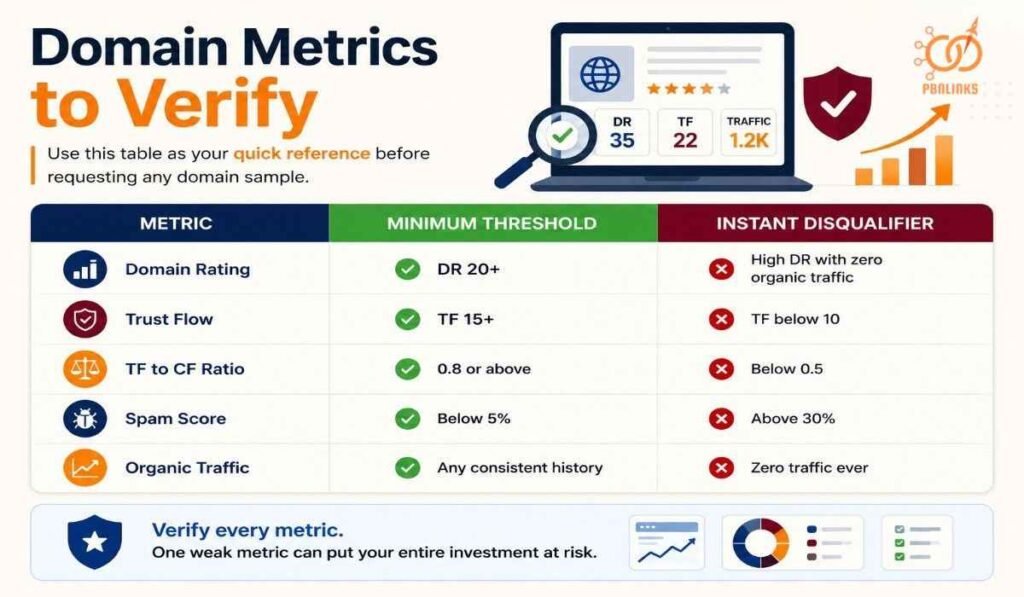
Use this table as your quick reference before requesting any domain sample:
| Metric | Minimum Threshold | Instant Disqualifier |
| Domain Rating | DR 20 plus | High DR with zero organic traffic |
| Trust Flow | TF 15 plus | TF below 10 |
| TF to CF Ratio | 0.8 or above | Below 0.5 |
| Spam Score | Below 5 percent | Above 30 percent |
| Organic Traffic | Any consistent history | Zero traffic ever |
Domain Rating
DR is your starting filter only. Target DR 20 plus for low competition and DR 30 plus for medium to high competition. High DR with low TF and zero traffic almost always signals an artificially inflated profile.
Trust Flow and TF to CF Ratio
Trust Flow is the most reliable quality signal for PBN evaluation. Target TF 15 plus minimum. The TF to CF ratio should sit at 0.8 or above. A ratio below 0.5 means the domain has far more links than it has quality behind them.
Spam Score
Keep Spam Score below 5 percent. Above 10 percent is a warning. Above 30 percent is an automatic disqualifier regardless of other metrics.
Organic Traffic
This is the hardest signal to fake. A domain with consistent organic traffic history has passed Google’s quality threshold across real queries. Zero traffic on a high DR domain is a red flag every time.
Domain History Checks
Wayback Machine
Check five to eight snapshots spread across the full domain history. Look for consistent on topic content with no major gaps. Walk away if you see niche pivots, spam content, gaps longer than six months, or thin posts with exact match titles linking to unrelated money sites.
Penalty Check
Open the organic traffic graph in Ahrefs. A gradual fade is normal. A sudden vertical drop to zero at a specific date signals a penalty. A penalised domain transfers that risk directly to your money site.
Prior PBN Use
Check Wayback Machine snapshots for thin content, exact match keyword titles, and outbound links to unrelated money sites. Two or more of these signals appearing together across different snapshots means the domain was previously used in a PBN. A complete expired domain vetting process including all history checks is covered in our buy expired domains PBN guide.
Content Quality Standards on PBN Sites
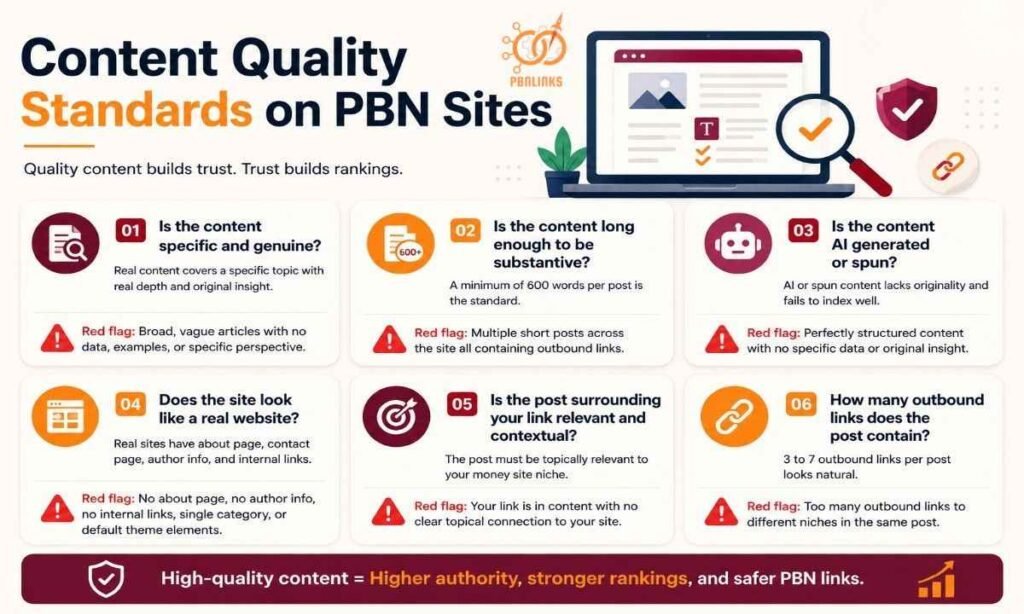
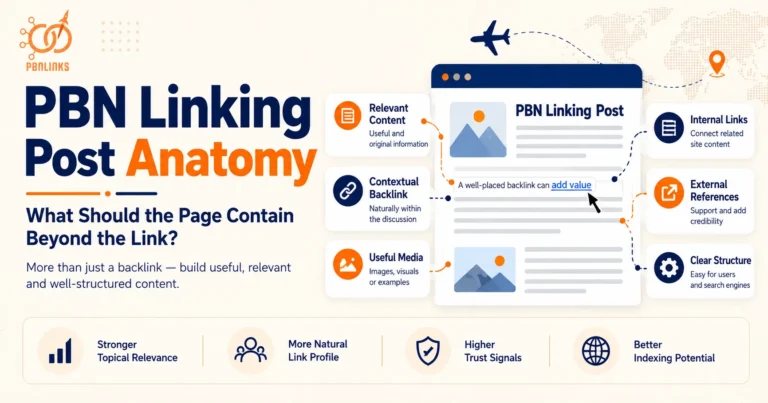
Content quality is the strongest signal that separates a real website from a link vehicle. A PBN must publish helpful unique well formatted articles not thin posts wrapped around a backlink. Metrics can be manipulated. Content quality is much harder to fake.
Check these content signals on every domain before accepting a link placement:
1. Is the content specific and genuine?
Real content covers a specific topic with real depth and original insight. Specific articles read like genuine expertise. Generic articles that could apply to any site on any topic read like filler.
Red flag: Broad vague articles with no data, examples, or specific perspective.
Is the content long enough to be substantive?
A minimum of 600 words per post is the standard for a PBN site that passes real value. Posts shorter than 400 words with a link embedded in the second paragraph signal the content was written for the link not the reader.
Red flag: Multiple short posts across the site all containing outbound links. This pattern signals a link farm not a real website.
Is the content AI generated or spun?
In 2026 Google SpamBrain has significantly improved its ability to identify AI generated content patterns. Blogs filled with generic articles, spun paragraphs, or irrelevant topics fail to index well. When a PBN lacks genuine content your link loses authority.
Red flag: Content that reads as perfectly structured but lacks specific data, personal voice, or original insight. Run a sample paragraph through an AI detection tool if you are unsure.
Does the site look like a real website?
A real website has an about page, contact page, author information, internal links between posts, and consistent categories relevant to one niche. A PBN built quickly for links has none of these.
Red flag: No about page. No author information. No internal linking. A single category containing all posts. Placeholder logos or default theme elements still visible on the site.
Is the post surrounding your link relevant and contextual?
The post your link appears in should be topically relevant to your money site niche. A link inside a post about investment strategies pointing to a finance site passes more value than a link inside a post about digital marketing pointing to the same site.
Red flag: Your link appearing inside content with no clear topical connection to your money site. Niche irrelevance reduces link equity and increases detection risk.
How many outbound links does the post contain?
A post with 3 to 7 outbound links looks natural. A post with 15 outbound links to different money sites is a link directory not editorial content. The fewer outbound links on a page the more authority flows through each one.
Red flag: Multiple outbound links to completely different niches in the same post. Knowing exactly where a link should sit and what surrounds it is covered in our PBN link placement strategy guide.
What Anchor Text to Request When Buying PBN Links
Anchor text is the clickable text that carries relevance signals from the PBN domain to your money site. What you request directly determines how much topical value the link passes and how natural your backlink profile looks to Google.
Most buyers let sellers choose the anchor text. That is a mistake. The seller does not know your current anchor profile. Only you know whether adding another exact match anchor will tip your profile into over-optimisation territory.
Choosing the Right Anchor Text
There are four anchor text types used in PBN link buying. Each serves a different purpose and suits a different situation.
| Anchor Type | What It Looks Like | When to Use It |
| Exact match | “buy PBN links” | Sparingly. Below 10 percent of total profile |
| Partial match | “quality PBN link building service” | Most PBN placements. Strong relevance signal |
| Branded | “PBN Links Agency” | When exact match usage is already high |
| Generic | “click here” or “read more” | For diversity. Never as your primary anchor type |
Exact match anchors
Exact match means the anchor text is precisely the keyword you want to rank for. It passes the strongest direct relevance signal but carries the highest over-optimisation risk when overused.
Keep exact match usage below 10 percent of your total backlink profile. In 2026 the risk from over-optimised anchor text is devaluation not penalty. Google identifies manipulative patterns and ignores those links rather than punishing the site. The real cost is wasted budget not a manual action.
Partial match anchors
Partial match anchors include part of your target keyword inside a natural phrase. They pass strong topical relevance without the over-optimisation signal of exact match.
This is the most effective anchor type for most PBN placements. Request partial match anchors for the majority of your orders. Vary the phrase across different placements. Never use the same partial match anchor twice on links pointing to the same page.
Branded anchors
Branded anchors use your brand name as the clickable text. They pass authority without any keyword signal. Use them when your exact match or partial match usage is already at threshold and you need more links without pushing the profile further.
Generic anchors
Generic anchors like “click here” or “read more” add natural diversity to your profile. A branded anchor placed inside highly relevant editorial content often carries more usable relevance than an exact match anchor placed in a weak context. Never use generic anchors as your primary anchor type when buying PBN links. They pass the least direct relevance signal of any anchor type.
How to Brief Your Seller on Anchor Text
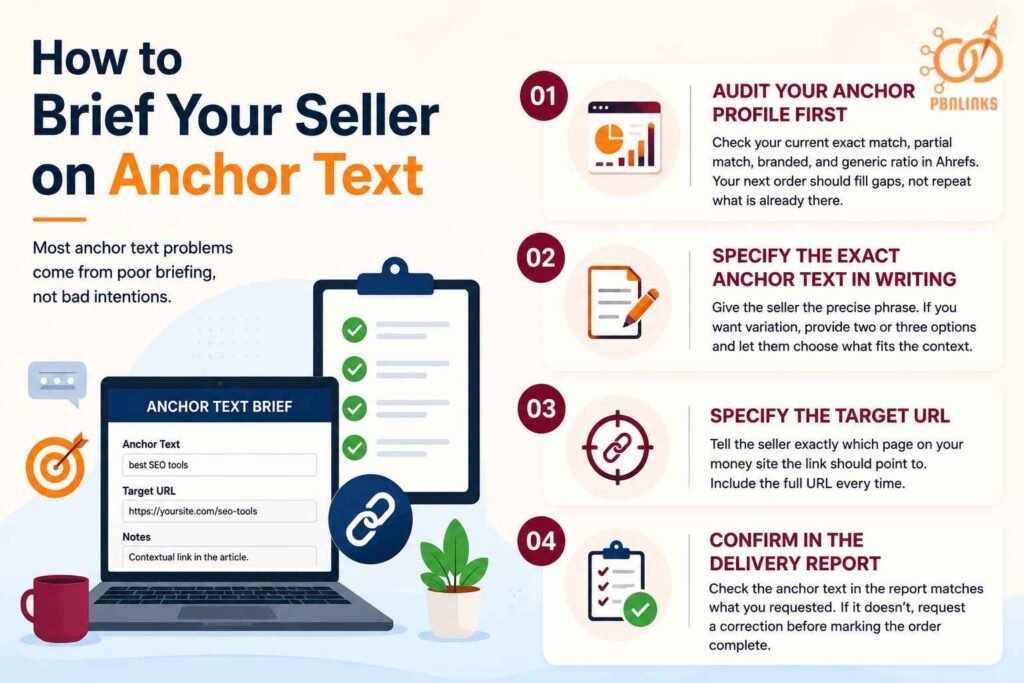
Most anchor text problems come from poor briefing not bad intentions. Before every order do these four things:
- Audit your anchor profile first — check your current exact match, partial match, branded, and generic ratio in Ahrefs. Your next order should fill gaps not repeat what is already there. The anchor text optimization guide covers how to read your distribution and decide what to request next
- Specify the exact anchor text in writing — give the seller the precise phrase. If you want variation provide two or three options and let them choose what fits the surrounding content
- Specify the target URL — tell the seller exactly which page on your money site the link should point to. Include the full URL every time
- Confirm in the delivery report — check the anchor text in the report matches what you requested. If it does not request a correction before marking the order complete
What a Good PBN Link Delivery Report Should Include
A PBN link delivery report is your quality control document after every purchase. It is the only way to verify that what was delivered matches what was ordered. A seller who cannot provide a complete delivery report cannot prove the link exists or meets any standard.
Every delivery report should include these elements as a minimum:
- Live URL of the post — the full URL of the page where your link was placed. You should be able to click it and see the live post immediately
- Screenshot of the placement — a screenshot showing your link inside the post with the surrounding content visible. This confirms the link is contextual and not in a footer or sidebar
- Anchor text confirmation — the exact anchor text used should be stated clearly. Check it matches what you specified in your order
- Target URL confirmation — the page on your money site that the link points to. Confirm the URL is correct and the link is dofollow
- Domain metrics at time of delivery — DR, TF, and spam score of the placement domain. These should match or exceed what was advertised before purchase
- Indexing status — confirmation that the post is indexed or a note on expected indexing timeline if the post was published recently
To maintain network security and confidentiality a report may include fulfillment details with a screenshot while specific PBN URLs are redacted. This is acceptable and standard practice among quality providers. What is not acceptable is a report with no live URL, no screenshot, and no anchor text confirmation.
Red flags in a delivery report:
- No live URL provided — you cannot verify a link you cannot see
- Screenshot shows the link in a footer or sidebar not inside body content
- Anchor text in the report does not match what you ordered
- Domain metrics in the report are significantly lower than what was advertised
- The post has no topical relevance to your money site niche
- The delivery report is a generic spreadsheet with only a domain name and DR score
What to do if the report is incomplete:
Do not mark the order complete. Contact the seller immediately and request the missing elements. A legitimate seller will provide a complete report without resistance. A seller who pushes back or refuses to provide verification details is not running a network worth buying from. Request a replacement or a refund before the order window closes.
How to Verify PBN Links After Purchase
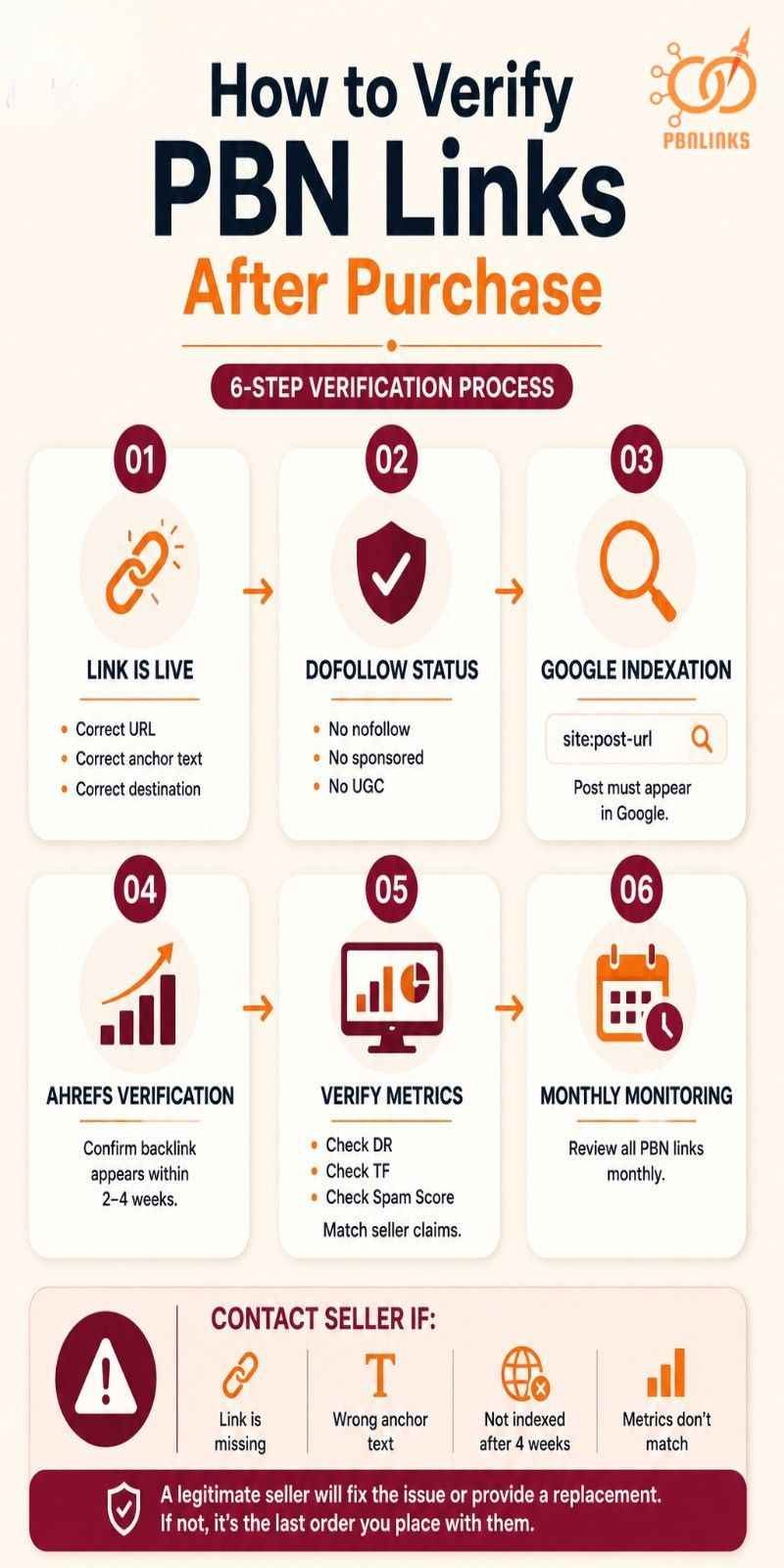
Independent verification after every purchase is non-negotiable. A delivery report confirms what the seller claims. Your own verification confirms what actually exists.
The most important thing about PBN links is indexation. It does not matter if the domain has DR 95. If Google is not indexing your link it is not helping you.
Follow these steps in order after every link delivery:
Step 1 — Confirm the link is live
Click the live URL in the delivery report immediately after receiving it. Confirm the post exists, the link is present, it points to the correct page on your money site, and the anchor text matches what you ordered. Do this before anything else.
Step 2 — Check the link is dofollow
Right click the anchor text and inspect the element or use a browser extension like MozBar. Confirm the link has no nofollow, sponsored, or UGC attribute. A nofollow link passes zero PageRank regardless of how strong the domain is.
Step 3 — Check indexation using the site: operator
Go to Google and search: site:domainname.com/url-of-the-post
If the post appears in results it is indexed. If nothing appears the post is not indexed. Check 5 random posts on the same domain starting at one week old. Then check 5 more at two weeks and 5 more at three and four weeks. If you see a lot of posts not indexed especially at weeks 3 and 4 that is a flag that Google does not trust the site.
Step 4 — Verify the link appears in Ahrefs
Pull the target page on your money site into Ahrefs and check the backlinks report. New links typically appear within 2 to 4 weeks of indexing. If the link does not appear after 4 weeks check the indexation status of the post again before contacting the seller.
Step 5 — Check the domain metrics match what was advertised
Pull the PBN domain into Ahrefs and Majestic. Confirm DR, TF, and spam score match or exceed what the seller advertised before purchase. Some sellers inflate metrics in their listings. Your own check is the only one that counts.
Step 6 — Set a monthly monitoring reminder
Check each PBN site monthly using a site: search. A deindexed PBN site must be addressed immediately. Remove its outbound links from your money site’s backlink profile and evaluate whether to disavow. Tracking every link placement and monitoring status in one place is covered in our PBN link reporting guide.
A link you are not monitoring is a link you are not protecting.
What to do if verification fails
Contact the seller within 7 days of delivery if any of the following are true:
- The post is not live at the URL provided
- The link does not point to your money site or uses the wrong anchor text
- The post is not indexed after 4 weeks
- Domain metrics are significantly lower than advertised
A legitimate seller will resolve the issue or provide a replacement. Document every communication in writing. If the seller does not respond or refuses to replace a failed link that is the last order you place with them.
How Many PBN Links to Order and at What Pace
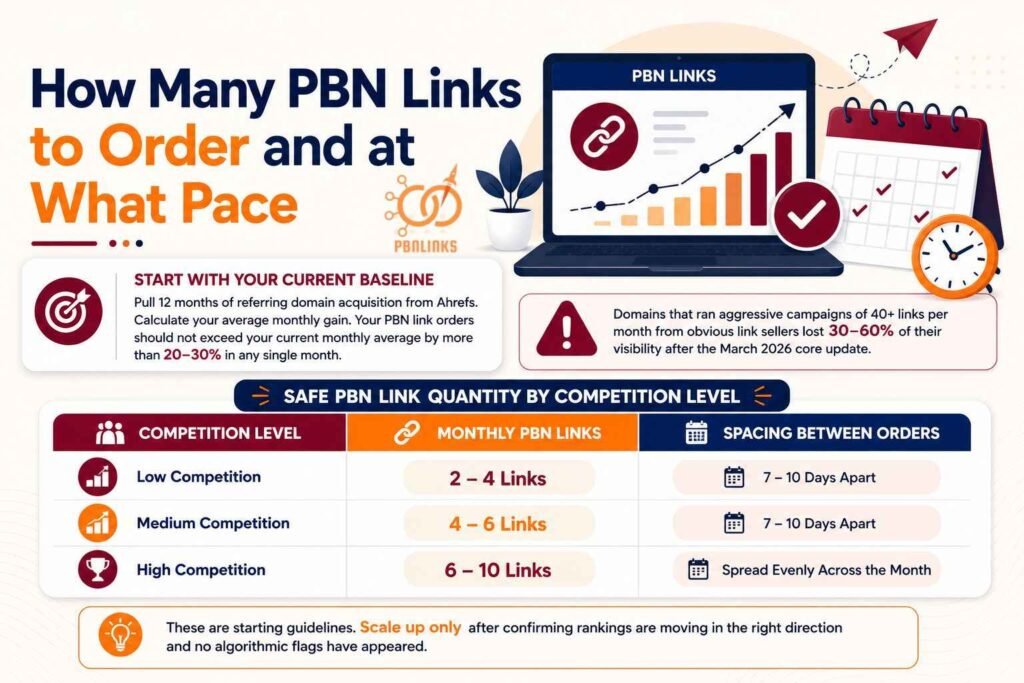
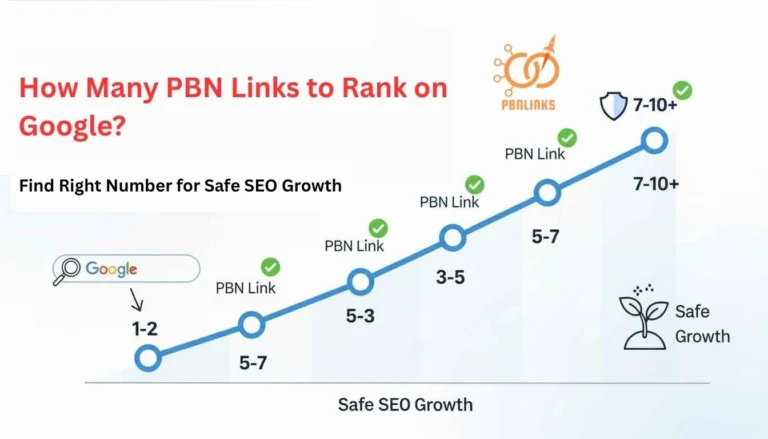
Buying too many PBN links at once is as damaging as buying bad ones. A sudden spike in referring domains is one of the clearest manipulation signals Google’s systems are trained to detect in 2026.
The right number depends on three things. Your current monthly link acquisition rate, your competition level, and how long your site has been building links.
Start with your current baseline
Pull 12 months of referring domain acquisition from Ahrefs. Calculate your average monthly gain. Your PBN link orders should not exceed your current monthly average by more than 20 to 30 percent in any single month. Domains that ran aggressive campaigns of 40 plus links per month from obvious link sellers lost 30 to 60 percent of their visibility after the March 2026 core update.
Safe PBN link quantity by competition level
| Competition Level | Monthly PBN Links | Spacing Between Orders |
| Low competition | 2 to 4 links | 7 to 10 days apart |
| Medium competition | 4 to 6 links | 7 to 10 days apart |
| High competition | 6 to 10 links | Spread evenly across the month |
These are starting guidelines. Scale up only after confirming rankings are moving in the right direction and no algorithmic flags have appeared. Understanding how PBN link velocity works across different competition levels helps you set the right pace before placing your first order.
How to space your orders within a month
Never place more than 30 percent of a month’s links within a 72 hour window. The safest pattern mimics editorial adoption. A few links in the first week, a cluster mid-month, and a trailing few at month end. Do not place all your monthly PBN links on the same day. Spread them across the month so the acquisition pattern looks organic not purchased.
What percentage of your links should be PBN
Aim for PBN links to represent 20 to 40 percent of your total link velocity with the remainder from other sources. A backlink profile made up entirely of PBN links is easier to identify than one where PBN links sit alongside guest posts, niche edits, and natural citations. Knowing how to buy expired domains PBN helps you understand why domain quality at this stage directly affects how safely you can scale velocity over time.
What to do if you bought too many links at once
Stop ordering immediately. Do not add more links while rankings are volatile. Wait 4 to 6 weeks and monitor the impact. If rankings dropped check whether the links are indexed and whether any algorithm update affected your niche broadly.
What Quality PBN Links Actually Cost
Quality PBN links in 2026 cost between $80 and $300 per placement depending on domain metrics, niche relevance, content quality, and network safety standards. Anything below $80 per link is almost certainly low quality inventory that carries more risk than value.
You are not paying for DR alone. You are paying for the domain’s history, the safety of the network, the quality of the content, and how natural the link looks to Google.DomainRaider
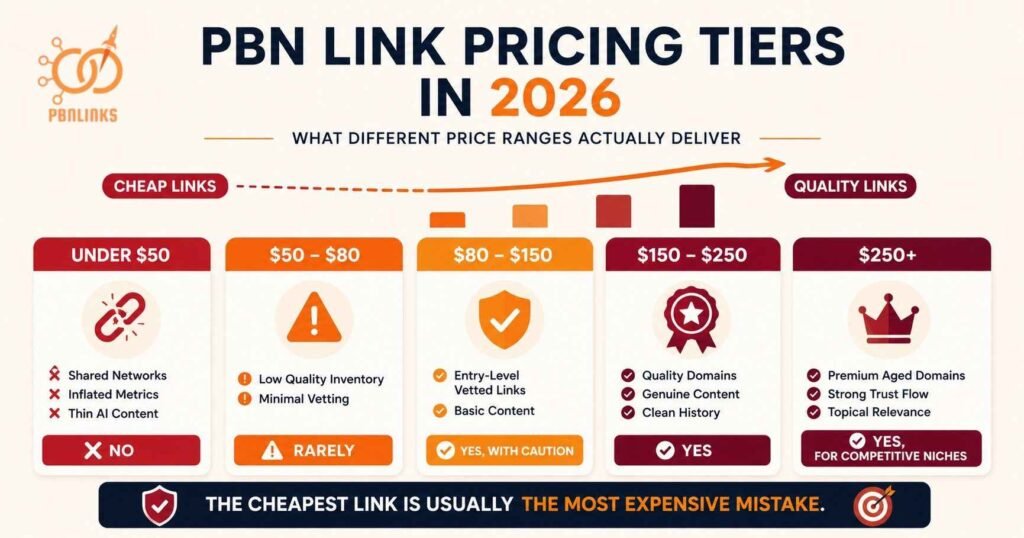
PBN link pricing tiers in 2026
| Price Range | What It Typically Delivers | Worth Buying |
| Under $50 | Shared networks, inflated metrics, thin AI content | No |
| $50 to $80 | Low quality PBN inventory, minimal vetting | Rarely |
| $80 to $150 | Entry level vetted PBN links, basic content | Yes with caution |
| $150 to $250 | Quality vetted domains, genuine content, clean history | Yes |
| $250 plus | Premium aged domains, topical relevance, strong TF | Yes for competitive niches |
What the price should cover
A price that reflects genuine quality means the seller has invested in every stage of the link production process. When you pay $150 or more per link here is what that budget should be covering:
- Domain acquisition cost — quality expired domains cost $150 to $500 at auction
- Hosting on a unique IP with no shared server patterns
- Genuine on topic content written by a human writer — minimum 600 words
- Domain vetting — Wayback Machine check, penalty check, metrics verification
- Placement and indexing confirmation
- Delivery report with live URL and screenshot
A seller charging $30 per link cannot cover any of these costs and still turn a profit. Something in that process is being skipped. That something is almost always domain quality or content quality — the two signals Google evaluates most reliably in 2026.
Why cheap PBN links are the most expensive mistake
A Google manual penalty triggered by a cheap link campaign can cost 12 to 18 months of recovery time. That recovery time is far more expensive than what the cheap links ever saved.
Services offering large volumes at $10 to $30 per link almost always use PBNs or link farms with negligible ranking value. The links either never index, get devalued silently, or in the worst case trigger a manual review.
The cheapest link building option is almost always the most expensive in the long run. Budget for quality from the first order. A smaller number of well placed links on quality domains produces better and more durable results than a large volume of cheap placements from weak networks.
The Complete PBN Link Buyer Checklist
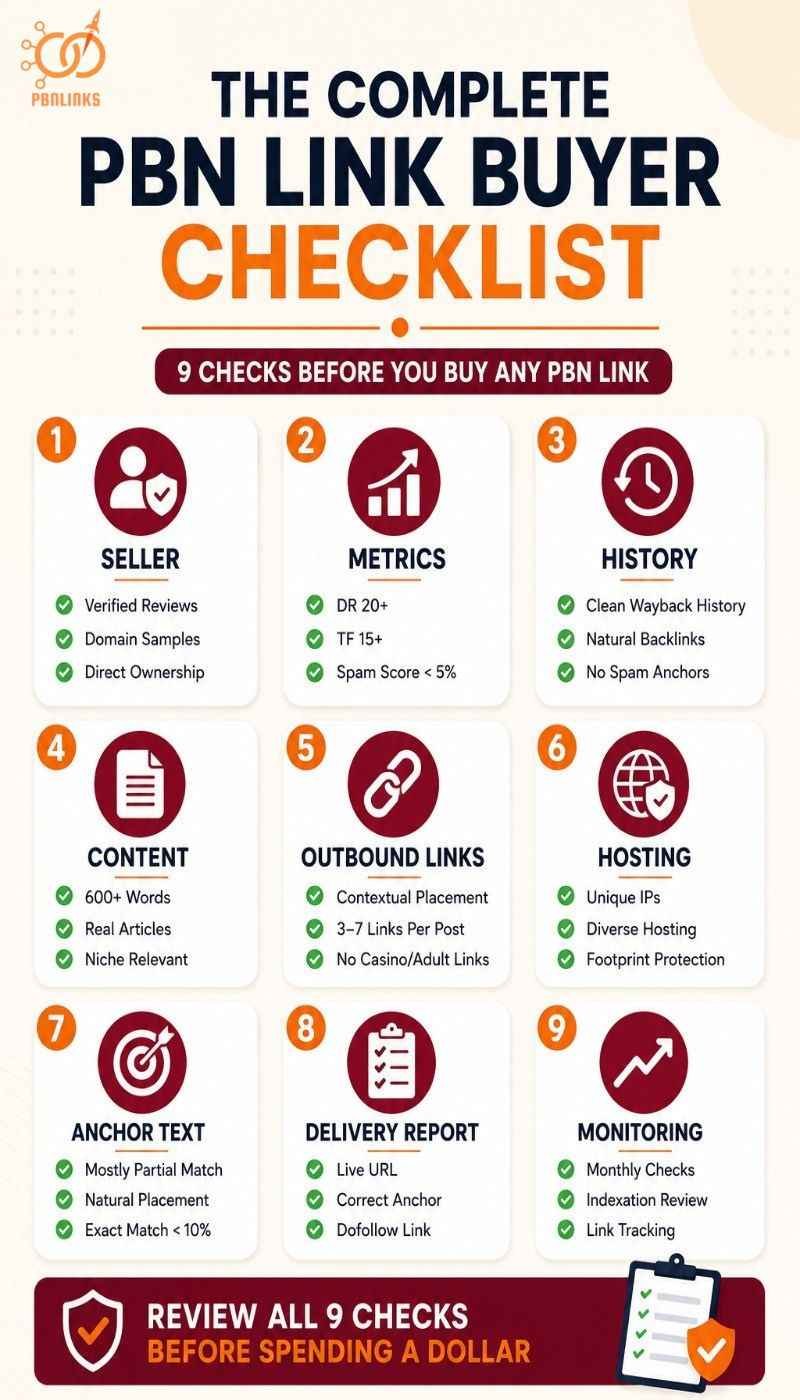
A PBN link buyer checklist helps you decide if a PBN link is safe, relevant, and worth your investment. When you follow a structured review you understand how the domain was used, how the site behaves today, and whether the link can support long term rankings.
Run every seller and every domain through all nine checks below before spending a dollar.
Seller Checks
Start with the seller because a bad seller makes every other check pointless. A trustworthy seller has a long verified review history, shares domain samples before payment, and explains their vetting process clearly.
- Look for hundreds of verified reviews on a transparent marketplace — not a cluster of five star ratings from new accounts
- Ask for 5 to 10 domain samples and verify each one in Ahrefs or Majestic before committing
- Ask how they vet domains, manage hosting, and create content — a confident detailed answer signals a real network
- Confirm the seller owns the network directly — brokers and resellers have no control over placement quality
- Walk away from any seller offering guaranteed rankings or pricing below $80 per link
When the seller is transparent, accountable, and willing to share evidence before payment you can trust the process that follows.
Domain Metrics
Check domain metrics next because they tell you whether the domain has genuine authority or just the appearance of it. DR alone is not enough. You need TF, CF ratio, spam score, and organic traffic together to get a complete picture.
- Target DR 20 plus for low competition campaigns and DR 30 plus for medium to high competition
- Trust Flow should be 15 plus with a TF to CF ratio of 0.8 or above — below 0.5 signals link volume without quality
- Spam Score should sit below 5 percent — above 10 percent is a serious warning regardless of other metrics
- Pull the organic traffic history in Ahrefs — zero traffic on a high DR domain is one of the most reliable red flags available
When metrics are clean and consistent across all four signals the domain is worth investigating further. The PBN domain metrics guide covers each threshold in full detail.
Domain and Backlink History
A clean history is the foundation of a safe PBN link. Open the Wayback Machine and scroll through several snapshots spread across the domain’s full history. Look for consistent on topic content with no major gaps.
- Check for sudden niche pivots — a domain that changed topic completely at any point is a red flag
- Look for foreign spam, thin autogenerated pages, or long gaps with no snapshot activity
- Review the backlink profile in Ahrefs — healthy domains grow referring domains gradually not in sudden spikes
- Study the anchor cloud — natural anchors include brand names and long phrases. Spam anchors include gambling terms, pharma keywords, and foreign characters
- Check for prior PBN use — thin posts with exact match keyword titles and outbound links to unrelated money sites are the clearest signals
When the history feels clean and consistent you can trust the domain to pass strong authority without hidden risk.
Content Quality
Content quality is the strongest signal that separates a real website from a link vehicle. Read several articles on the site before accepting any placement. The writing should feel natural, specific, and created for real readers not for search engines.
- Posts should be minimum 600 words with genuine depth and original perspective
- Check for About, Contact, and Privacy pages — their absence signals a rushed low effort setup
- Look for consistent categories and logical site structure — a genuine website has a clear topic focus
- Check for AI generated or spun content — perfectly structured articles with no specific data or personal voice are a warning sign in 2026
- Verify the post surrounding your link is topically relevant to your money site niche
When content feels authentic and the structure looks intentional the PBN becomes safer for long term link placement.
Outbound Link Behaviour
Outbound link behaviour shows how responsibly the seller manages the network. Use Ahrefs or Screaming Frog to review every domain the site links to on the page containing your link.
- Avoid any site linking to adult, casino, or pharmaceutical pages — these niches attract immediate algorithmic scrutiny
- Count commercial links per post — too many promotional links in one post signal a link farm not a real website
- Confirm your link sits inside body content — links in footers, sidebars, or author boxes pass less value and create stronger footprint signals
- Check that the post contains 3 to 7 outbound links total — more than that dilutes the authority your link receives
A PBN that keeps outbound behaviour balanced and clean is far more likely to stay indexed and pass long term value.
Hosting and Footprint Signals
A safe PBN uses hosting that makes every site look independent. Footprint signals that are invisible on a small network become detectable at scale. Check these before accepting any placement from a seller managing multiple domains.
- Confirm the site sits on a unique IP address — shared IP ranges across multiple domains are one of Google’s most reliable detection signals
- Check WHOIS details — privacy should be enabled but registration patterns should not be identical across multiple domains from the same seller
- Look for varied nameservers and DNS records — identical hosting configurations across a network create a detectable pattern
- Ask the seller directly how they diversify hosting — a confident specific answer signals a properly managed network
Strong hosting diversity protects the entire network and ensures your purchased link remains safe and stable over time.
Anchor Text
Anchor text and link position work together as a combined signal. What you request determines how much topical relevance the link passes and how natural your overall backlink profile looks to Google.
- Specify the exact anchor text in writing before payment — never leave it to the seller to decide
- Use partial match anchors for most placements — they pass strong relevance without the over-optimisation signal of exact match
- Keep exact match anchor usage below 10 percent of your total network profile
- Confirm the anchor text reads naturally in the surrounding sentence before approving the order
- Audit your current anchor profile in Ahrefs before every order — your next purchase should fill gaps not repeat existing anchors
Reading your current anchor text distribution before every order ensures each placement fills a gap rather than repeating what already exists.
Delivery Report Verification
A delivery report is your quality control document after every purchase. A seller who cannot provide a complete report cannot prove the link exists or meets any standard.
- Confirm the live URL is provided and the post is accessible immediately after delivery
- Check the anchor text in the report matches exactly what you ordered
- Verify the link points to the correct page on your money site
- Confirm the link is dofollow — right click and inspect the element or use MozBar
- Check the domain metrics in the report match what was advertised before purchase
- Verify the post is indexed using the site: operator in Google — site:domainname.com/url-of-the-post
When every element in the delivery report matches what was ordered the placement is confirmed and ready to monitor.
Post Purchase Monitoring
Your work does not end once the link is placed. Ongoing monitoring ensures the link continues to deliver value over time.
- Set a monthly calendar reminder to recheck the live URL and indexation status of every link purchased
- Use Ahrefs to confirm the link remains live, dofollow, and pointing to the correct page
- Watch the domain’s Trust Flow and organic traffic trends — a gradual decline is normal but a sudden drop signals a problem
- Record each placement in a tracking sheet — include date, anchor text, target URL, and seller details
- If a link gets removed, changes to nofollow, or loses indexation contact the seller within 7 days and request a replacement
Consistent monitoring protects your budget and helps you build a reliable network of vetted sellers for long term campaign growth.
Conclusion
In conclusion buying PBN links safely comes down to one principle. Check everything before you pay and verify everything after delivery.
The seller determines the quality of the network. The domain history determines whether the authority is real. The content determines whether the site looks legitimate. The anchor text determines how natural your profile grows. And the delivery report determines whether what was promised was actually delivered.
Skip any one of these checks and you are gambling with your budget and your money site.
Every purchase that passes this checklist is one you can trust. Every purchase that skips it is one you may regret.
If you are ready to buy PBN links from a network that has already passed every check on this list explore our packages at PBN Links Agency and start building authority you can actually measure.
FAQs About Buying PBN Links
What should I look for when buying PBN links?
Check the seller’s track record, domain metrics, content quality, anchor text, and delivery report before every order. A trustworthy seller shares domain samples before payment and prices links above $80 per placement.
How do I know if a PBN link seller is trustworthy?
A trustworthy seller has hundreds of verified reviews and shares domain samples with verifiable metrics before payment. Walk away from any seller that refuses samples, guarantees rankings, or prices below $80 per link.
What is a good Domain Rating for a PBN link?
DR 20 plus is the minimum for low competition and DR 30 plus for medium to high competition. Always check Trust Flow, TF to CF ratio, spam score, and organic traffic alongside DR — never buy on DR alone.
What Spam Score is too high for a PBN link?
Keep Spam Score below 5 percent for any domain you buy a link from. Above 10 percent is a serious warning and above 30 percent is an automatic disqualifier regardless of other metrics.
How much do quality PBN links cost in 2026?
Quality PBN links cost between $80 and $300 per placement depending on domain metrics, content quality, and network safety standards. Anything below $80 per link is almost certainly low quality inventory that carries more risk than value.
Are cheap PBN links worth buying?
No. Links priced below $80 almost universally come from shared networks with inflated metrics and thin content. A manual penalty triggered by cheap links can cost 12 to 18 months of recovery time — far more expensive than the savings.
What anchor text should I request when buying PBN links?
Request partial match anchors for most placements as they pass strong topical relevance without over-optimisation risk. Always specify the anchor text in writing before paying and keep exact match usage below 10 percent of your total profile.
How do I verify a PBN link after purchase?
Click the live URL immediately to confirm the post exists and the link is live. Then check the link is dofollow and verify the post is indexed using the site: operator in Google.
Can Google detect PBN links in 2026?
Yes. Google detects PBN links through shared hosting patterns, identical site structures, and unnatural anchor text distributions. Well managed networks with diverse hosting, genuine content, and clean backlink profiles are significantly harder to detect.
What happens if my PBN link is not indexed?
An unindexed PBN link passes zero authority regardless of domain strength. Check indexation using the site: operator at one, two, three, and four weeks after delivery and request a replacement if still unindexed after four weeks.
How long does it take for PBN links to show results?
PBN links typically show ranking movement within 4 to 8 weeks of being indexed depending on competition level and domain quality. Low competition niches move faster and high competition niches may take 3 months or more.
What should a PBN link delivery report include?
A delivery report must include the live URL, a screenshot of the placement, and confirmation of the anchor text used. A seller who cannot provide all three cannot prove the link meets any quality standard.