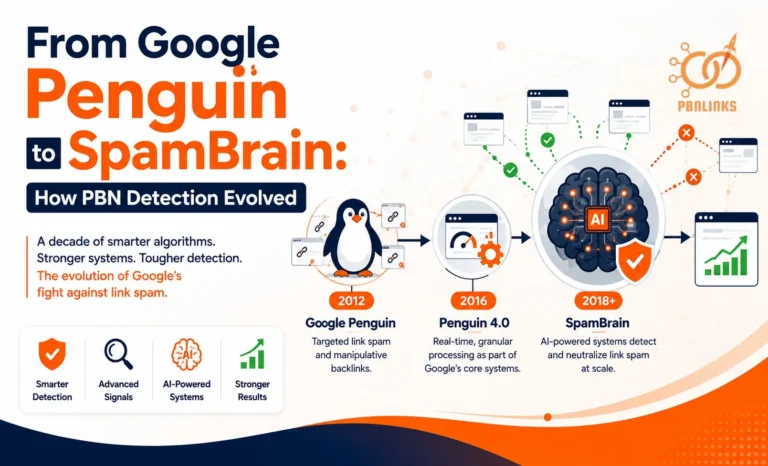
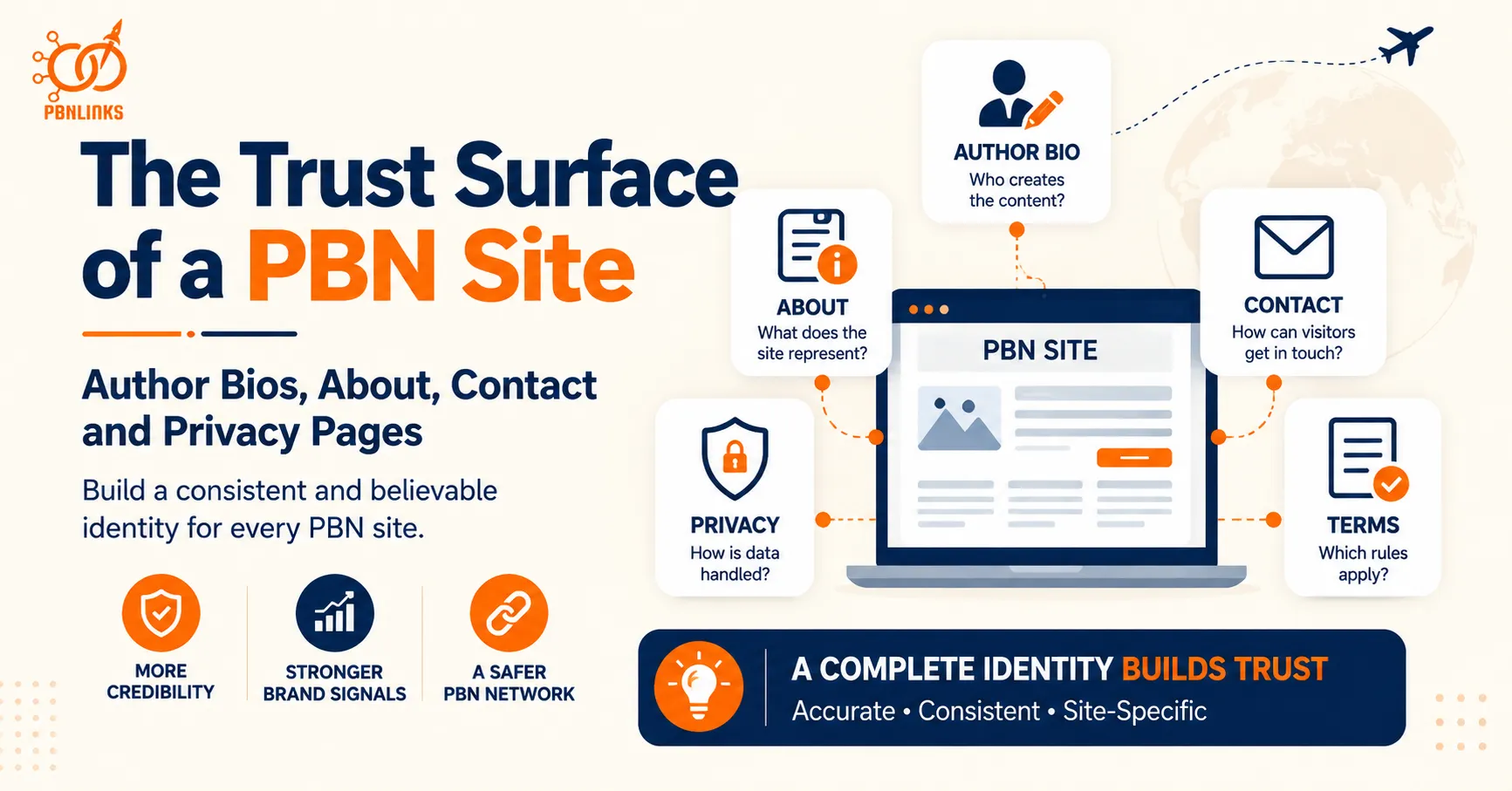
The Trust Surface of a PBN Site: Author Bios, About, Contact and Privacy Pages
A website can publish good content and still feel incomplete if readers cannot tell who is behind it, what the site represents, or how to get in touch. Author bios, About pages, contact information, and privacy pages help create this public-facing identity. Together, these PBN site trust pages form what can be described as the site’s trust surface.
The key is not simply to add the same set of pages to every PBN. An About page filled with generic text, a questionable author persona, a broken contact form, or a Privacy Policy that does not reflect the site’s actual practices adds little value. These pages should provide useful and consistent information about the individual website.
There is also a network-level issue to consider. Reusing the same author names, profile photos, biographies, contact details, page wording, or policy structures across several sites can create recurring patterns. At the same time, common elements such as an “About Us” heading or standard legal language should not automatically be treated as evidence of a connected network.
This guide explains how author bios, About and Contact pages, Privacy Policies, Terms, and other identity elements fit together across a PBN site. It also covers reused-persona footprints, trust-page consistency, cross-site patterns, auditing methods, and practical ways to build a more coherent trust surface without manufacturing credibility.
What Are PBN Site Trust Pages?
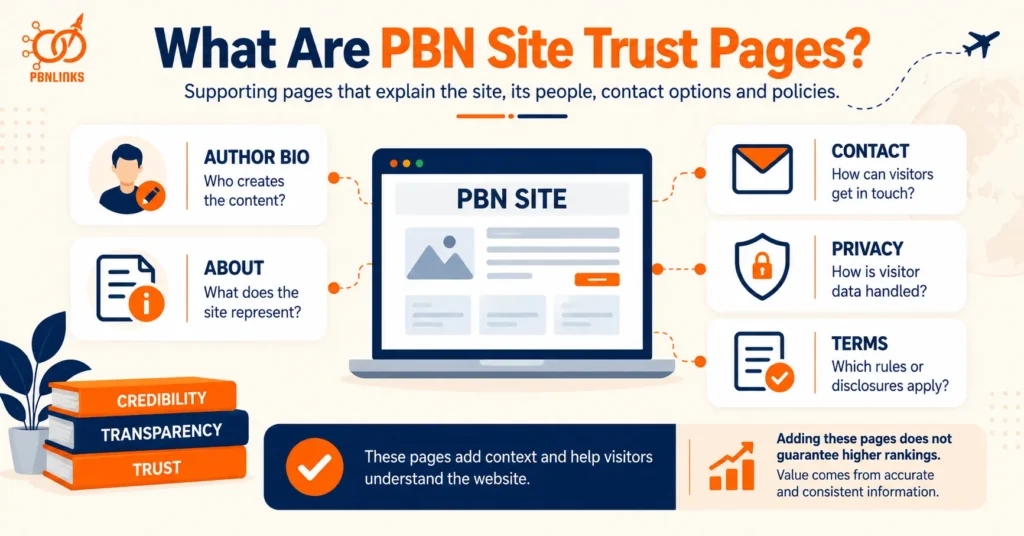
PBN site trust pages are supporting pages and identity elements that explain who is behind a website, what the site is about, how visitors can make contact, and which policies apply. They commonly include About and Contact pages, Privacy Policies, Terms or Disclaimer pages, and author bios or profiles where relevant.
These pages support the main content by giving visitors more context about the website itself. An About page explains the site’s purpose, author information identifies who creates the content, a Contact page provides a way to communicate, and policy pages explain how the site handles relevant privacy, legal, or disclosure matters.
There is no single trust-page checklist that fits every website. The pages and information needed depend on how the site operates. For example, a website that collects information through contact forms, uses analytics or cookies, displays advertising, or participates in affiliate programs may need different disclosures from a simple informational site.
It is also important to separate site completeness from SEO rankings. Adding an About page, author bio, or Privacy Policy does not automatically improve rankings or make a site trustworthy. These pages are more useful when they provide accurate, relevant, and consistent information that helps visitors understand the publication and the people or organization behind it.
For PBNs, the additional concern is repetition across multiple domains. The same author personas, profile images, contact details, About-page wording, policy information, or other distinctive identity elements can create recurring patterns when they appear across several sites. This makes PBN site trust pages important to evaluate both individually and as part of the wider network.
Author Bios and Authorship on PBN Sites
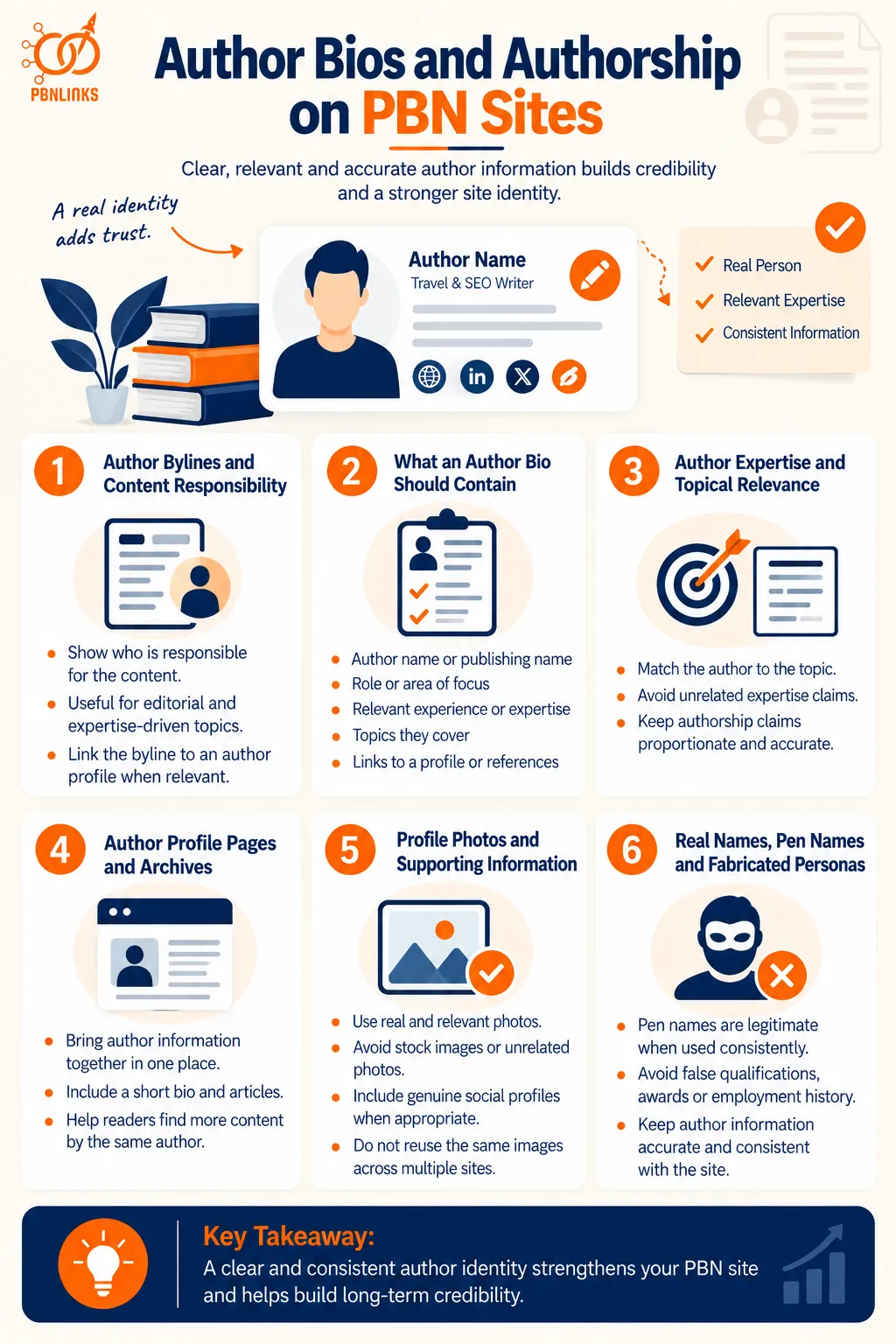
Author bios on PBN sites should clearly identify who created the content and provide relevant background when authorship matters to the reader. A useful author profile adds context about the writer without relying on invented credentials, exaggerated expertise, or unnecessary personal details.
The amount of author information should match the type of website and content being published.
Author Bylines and Content Responsibility
A byline tells readers who is responsible for an article. For sites publishing editorial, educational, technical, financial, health, or other expertise-driven content, clear authorship can be especially useful.
Google’s people-first content guidance also encourages clear authorship where readers would reasonably expect it and recommends linking bylines to additional information about the author when appropriate.
A byline should therefore represent a genuine publishing identity rather than being added only as a visual trust signal.
What an Author Bio Should Contain
A useful author bio should explain who the author is and why their background is relevant to the content they publish.
Depending on the site, this may include:
- the author’s name or established publishing name
- their role or area of focus
- relevant experience or expertise
- the subjects they commonly cover
- links to an author profile or other appropriate references
The bio does not need to be long. A short, specific description is generally more useful than a generic paragraph filled with broad claims such as “industry expert” or “leading professional” without supporting context.
Author Expertise and Topical Relevance
Author information should make sense for the subjects attributed to that person.
For example, an author presented as an experienced home-improvement writer naturally fits content about repairs, renovation, or property maintenance. The same persona may appear less coherent if it is simultaneously presented as an expert in unrelated medical, legal, financial, and technical subjects without a credible explanation.
This does not mean every article requires a formally credentialed expert. The level of expertise expected depends on the topic. The important point is that authorship claims should be proportionate, relevant, and accurate.
Author Profile Pages and Archives
For sites with regular contributors, a dedicated author page can bring related information together in one place. It may include a short biography, areas of coverage, and a list of articles written by that author.
An author archive can also help readers move from one article to other content by the same contributor.
Not every small website needs an elaborate author system. The structure should reflect how the publication actually operates rather than adding author pages purely because they appear on an SEO checklist.
Profile Photos and Supporting Identity Information
A profile photo can make an author page easier to recognize, but the image should accurately represent the identity being presented. Using unrelated photographs or presenting stock-model images as real people can create misleading information.
The same principle applies to social profiles, professional pages, company references, or other supporting links. Include them when they genuinely belong to the author rather than creating references simply to make a profile appear more established.
Profile images also deserve attention at the network level because repeatedly using the same photograph for different identities, or the same author image across unrelated sites, can create an obvious cross-site similarity.
Real Names, Pen Names and Fabricated Personas
Using a pen name is different from inventing false credentials or a deceptive professional identity. Pen names and consistent publishing names are used legitimately in many forms of online publishing.
The problem begins when a persona makes claims that are not true, such as fabricated qualifications, employment history, professional licenses, awards, or experience. These details may create the appearance of expertise without providing genuine accountability.
For PBN site trust pages, the stronger approach is to keep authorship information accurate, relevant, and consistent with the site. The next concern is what happens when the same identities, biographies, photographs, and credentials begin appearing across multiple sites, creating a reused author persona footprint.
Reused Author Personas as a PBN Footprint
A reused author persona can become a PBN footprint when the same identity, biography, profile image, credentials, or supporting details repeatedly appear across multiple sites. One author contributing to more than one website is normal on the web. The concern is the repeated combination of identity signals that makes supposedly separate sites appear to share the same publishing workflow.
The strongest way to evaluate persona reuse is to compare the complete author identity rather than one name or photograph in isolation.
Repeated Author Names Across Multiple Sites
The same author name appearing on several websites does not automatically indicate a PBN. Freelance writers, journalists, specialists, and contributors commonly publish on multiple domains.
More context is needed. A repeated name becomes more noteworthy when it appears alongside the same biography, profile photo, role, credentials, or distinctive wording across a recurring group of sites.
Common names also have very little value as evidence on their own. The more specific the matching identity information becomes, the more useful the comparison is.
Duplicate and Near-Duplicate Author Bios
Author bios can create clearer patterns because they often contain more distinctive information than a name alone.
For example, several sites may describe an author using the same:
- professional background
- areas of expertise
- career history
- unusual phrases
- sentence structure
- credentials or qualifications
Exact duplication is easy to notice, but near-duplicate bios can also reveal a repeated template. Simply changing a few words does not necessarily make the underlying persona information independent.
The key question is whether the sites are describing the same genuine contributor or repeatedly applying the same persona structure across different domains.
Reused Profile Photos and Reverse Image Search
Profile-image reuse can make author identities easier to compare across websites. Google Lens and reverse-image search tools such as TinEye can help locate the same image or visually related versions appearing elsewhere online.
This can reveal situations where one photograph appears under multiple author names or where the same profile image is repeatedly used across several sites.
A matching photo still needs context. A genuine author may naturally use the same headshot on several publications. The stronger concern is when the image is combined with conflicting names, fabricated identities, duplicated bios, or other repeated network patterns.
Repeated Credentials and Expertise Claims
Credentials are particularly important because they influence how readers interpret an author’s expertise.
If multiple personas across different sites repeatedly claim the same unusual qualifications, employment history, awards, experience, or professional background, those details can become part of a broader pattern.
Accuracy matters more than variation. Credentials should never be changed, invented, or exaggerated merely to make author profiles appear different.
For sensitive topics such as health, finance, or legal information, unsupported expertise claims can also create a more serious credibility problem than a simple network footprint.
Social Profiles and Other Identity References
Author pages sometimes link to social accounts, professional profiles, personal websites, organizations, or other external references.
These connections can strengthen an author identity when they genuinely belong to that person. They can also make relationships between websites easier to observe when the same accounts or distinctive identity references repeatedly appear across several domains.
This does not mean authors should avoid legitimate profiles. The goal is accurate attribution, not artificial separation.
When Author Reuse Becomes a Network-Level Pattern
Author reuse becomes more meaningful as a PBN footprint when several distinctive identity elements repeatedly overlap across the same sites.
Consider the difference:
Weak pattern:
The same common author name appears on two websites.
Stronger pattern:
The same author name, profile image, biography, unusual credentials, author-page format, and supporting identity references appear across several related sites.
The second case provides substantially more context because multiple independent-looking elements point toward the same publishing identity or workflow.
This is the principle to apply throughout persona analysis: do not treat one repeated detail as proof of a network. Look for distinctive, repeated, and combined identity patterns across multiple sites.
What an About Page Should Contain
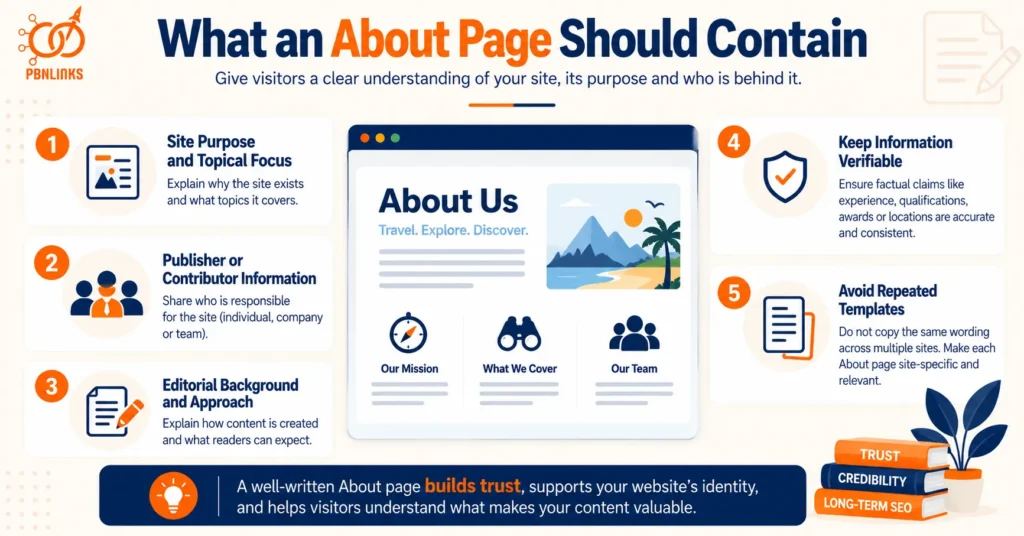
A PBN About page should clearly explain what the website is, what topics it covers, who is responsible for it where relevant, and what readers can expect from its content. The page should provide useful background about the individual site rather than exist only because an About page is considered a standard website feature.
A strong About page answers a simple question: “What should a visitor know about this website to understand its purpose and identity?”
Site Purpose and Topical Focus
Start by explaining why the website exists and what it covers. This gives readers immediate context for the content they find elsewhere on the site.
For example, an About page for a home-improvement site might explain that the publication covers maintenance, repairs, renovation ideas, and practical homeowner guidance.
The description should match the site’s actual content. If the About page presents the website as a specialist resource but most published content falls outside that subject, the identity becomes less coherent.
Publisher, Organization or Contributor Information
The About page can also explain who is responsible for the website when that information is relevant to the publication.
Depending on the site, this might include:
- an individual publisher
- a company or organization
- an editorial team
- regular contributors
- links to relevant author pages
Not every website needs to publish the same level of organizational detail. The information should reflect how that particular site actually operates.
This is also where accuracy matters. Names, organizations, addresses, credentials, or business details should not be invented simply to make the site appear more established.
Editorial Background and Publishing Approach
An About page can briefly explain how the site’s content is created and what readers should expect from it.
Useful information might include the types of content published, the audience the site serves, areas of editorial focus, or how specialist contributors are involved where applicable.
This information should remain practical. Generic statements such as “we are committed to delivering the highest-quality content on the internet” provide little value unless the site explains what distinguishes its publishing approach.
About-Page Information That Should Remain Verifiable
Important factual claims on an About page should be accurate and consistent with information elsewhere on the site.
This is especially important for claims involving:
- professional qualifications
- years of experience
- company history
- awards or certifications
- business locations
- named team members
- partnerships or affiliations
An About page should not become a place for manufactured credibility. If the site makes specific claims about its people or organization, those claims should be supportable.
The same information should also make sense when compared with author bios, contact details, and other PBN site trust pages.
Repeated About-Page Wording and Templates Across Sites
Using a common About-page structure is not unusual. Many websites naturally explain who they are, what they cover, and how visitors can contact them.
The pattern becomes more distinctive when several sites repeatedly use the same unusual wording, story, mission statement, paragraph order, organization description, formatting, or factual details.
Changing only the site name while keeping the rest of an About page nearly identical can make the underlying template easy to recognize.
The better approach is not to artificially rewrite pages merely to make them different. Each About page should be based on the actual purpose, subject, contributors, and identity of that individual website. When the underlying information is site-specific, natural differences in the page usually follow.
Contact Pages and Contact Forms on PBN Sites
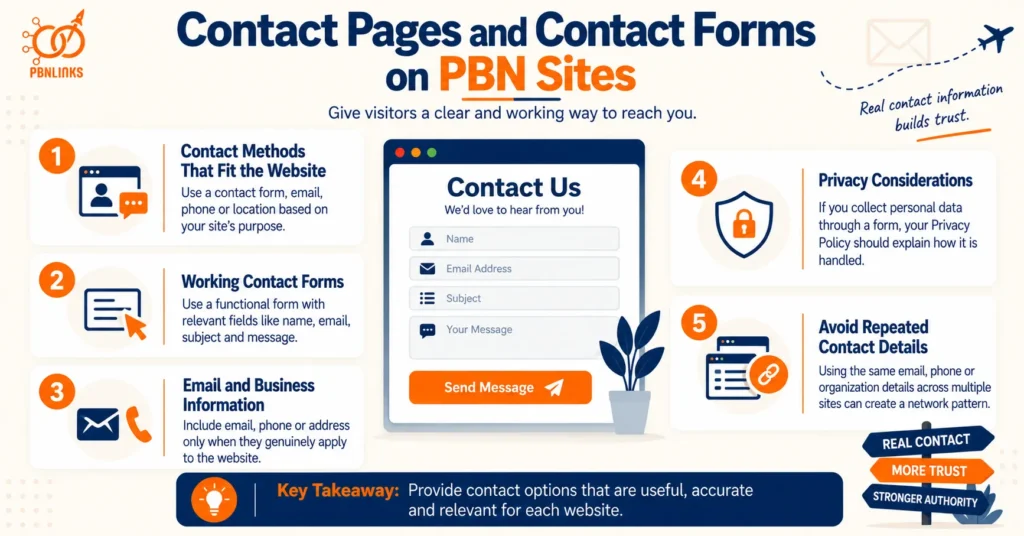
A PBN Contact page should give visitors a clear and working way to reach the person, team, or organization responsible for the website. Depending on the site, this may be a contact form, email address, business contact details, or another appropriate communication method.
The contact setup should fit the actual website rather than adding information simply to make the site appear more established.
Contact Methods That Fit the Website
There is no single contact method that every site must use. The right option depends on the site’s purpose and how visitors are expected to communicate with it.
A small informational publication may only need a simple contact form or email address. A genuine local business may reasonably provide a phone number, physical location, opening hours, and other business information.
The key principle is relevance. Contact details should reflect how the site actually operates.
Contact Forms and Working Communication Channels
A contact form can provide a simple way for readers to ask questions, report problems, discuss content, or make other relevant inquiries.
The form should work properly and request only information that is reasonably necessary for the interaction. Typical fields may include a name, email address, subject, and message.
A form that does not submit, sends messages to an abandoned inbox, or exists only as decoration provides little practical value. Contact methods should be tested periodically to make sure visitors can actually use them.
Email, Business and Location Information Where Relevant
Email addresses, phone numbers, business names, and physical locations should be included only when they genuinely apply to the website.
A physical address is not necessary for every informational site. Similarly, adding a fake office location or invented business details does not create legitimate trust.
Where business information is provided, it should remain consistent with the site’s About page and other relevant identity information.
Contact Information and Privacy Considerations
Contact forms may collect personal information such as a visitor’s name, email address, phone number, or message content.
When a site collects personal data, its privacy information should accurately explain relevant collection and handling practices based on the site’s actual setup and applicable requirements.
This creates an important connection between the Contact page and Privacy Policy. A form should not collect one set of information while the site’s privacy disclosures describe something entirely different.
Repeated Contact Details Across Multiple Sites
Repeated contact information can become a network-level pattern when the same distinctive details appear across multiple supposedly separate websites.
Examples may include the same email address, phone number, organization name, form destination, or unusual contact-page wording appearing across several domains.
However, context matters. A shared customer-service provider or legitimate organization may naturally use the same contact details across multiple websites.
The stronger concern is again the combination of signals. The same contact information becomes more meaningful when it appears alongside reused author personas, matching About-page details, repeated policy information, or other distinctive similarities.
For PBN site trust pages, the goal should therefore be straightforward: provide contact options that are useful and accurate for each website, and evaluate repeated contact patterns in the context of the wider site identity rather than treating one shared detail as proof of a network.
Privacy Policies on PBN Sites
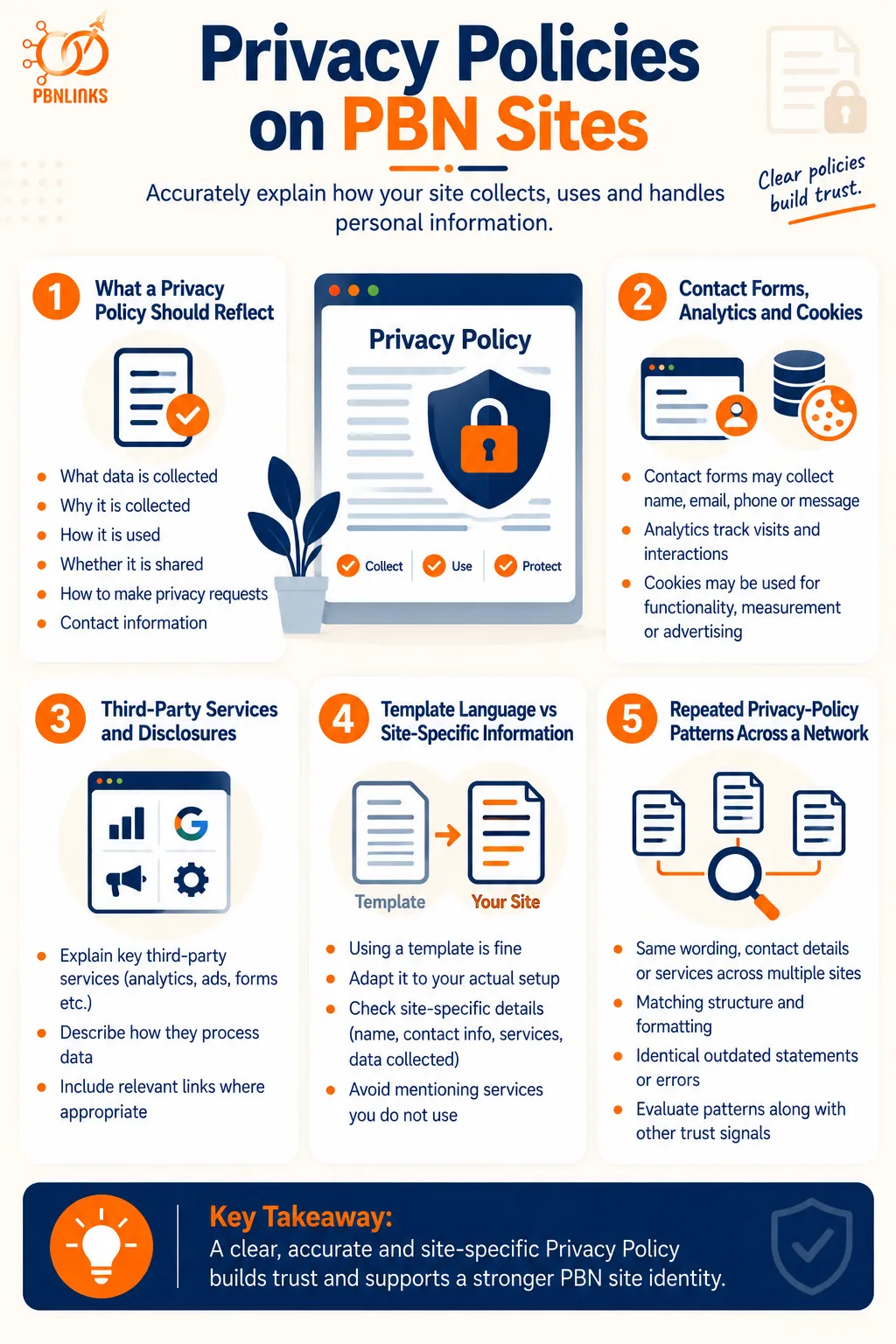
A Privacy Policy on a PBN site should accurately explain how the website collects, uses, shares, or otherwise handles personal information where applicable. The policy should reflect the site’s actual tools and practices rather than being added as generic text simply because Privacy pages are common on websites.
What needs to be disclosed depends on the site’s audience, location, technologies, data practices, and applicable privacy requirements.
What a Privacy Policy Should Reflect
A useful Privacy Policy starts with what the website actually does.
Depending on the site, relevant information may include:
- what personal information is collected
- why that information is collected
- how the information is used
- whether information is shared with service providers or other parties
- how users can make relevant privacy requests
- how visitors can contact the site about privacy matters
Not every website collects the same information. This is why copying a policy without checking it against the site’s actual setup can produce inaccurate disclosures.
Contact Forms, Analytics, Cookies and Data Collection
Several ordinary website features can involve data collection or storage.
A contact form may collect a name, email address, phone number, or message. Analytics tools may process information about visits and interactions. Cookies or similar technologies may be used for functionality, measurement, advertising, or other purposes.
The Privacy Policy should reflect the technologies and practices actually used on the site where disclosure is required or appropriate.
A policy that discusses services the site does not use, while failing to mention important practices that are present, is a sign that the document has not been properly adapted to the website.
Third-Party Services and Relevant Disclosures
Websites often rely on external services for analytics, advertising, embedded media, forms, spam protection, hosting, or other functionality.
These services may process information as part of delivering their features. Where relevant, the site’s privacy information should account for those relationships and explain them accurately enough for users to understand the site’s practices.
The goal is not to list every plugin installed in WordPress. The focus should remain on third-party services and data practices that are relevant to visitors and applicable privacy obligations.
Template Language vs Site-Specific Information
Using a Privacy Policy template is not automatically a problem, but the final policy should be adapted to the individual website.
Legal and privacy documents naturally share terminology because many sites deal with similar concepts. Therefore, matching phrases such as “personal information,” “cookies,” or “third-party services” provide little evidence of a network by themselves.
The more important question is whether site-specific details are accurate. These may include the website or organization name, contact information, services used, types of data collected, and other details relevant to that site’s practices.
A template should provide a starting structure, not replace reviewing what the website actually does.
Repeated Privacy-Policy Patterns Across a Network
Similar Privacy Policies across several websites do not automatically indicate a PBN. Standardized legal language is common across unrelated sites, especially when policies address similar technologies or regulatory concepts.
A more distinctive pattern may emerge when several domains repeatedly share the same unusual combination of:
- identical site-specific wording
- the same contact information
- references to the same irrelevant services
- matching formatting and section order
- identical outdated statements
- the same errors or leftover placeholders
These similarities become more useful when they overlap with repeated authors, About-page information, contact details, or other PBN site trust pages.
The correct approach is therefore not to rewrite Privacy Policies simply to make them look different. Each policy should first be accurate for the individual site, with network-level analysis focused on distinctive repeated details rather than ordinary legal language.
Terms, Disclaimers and Other Supporting Trust Pages
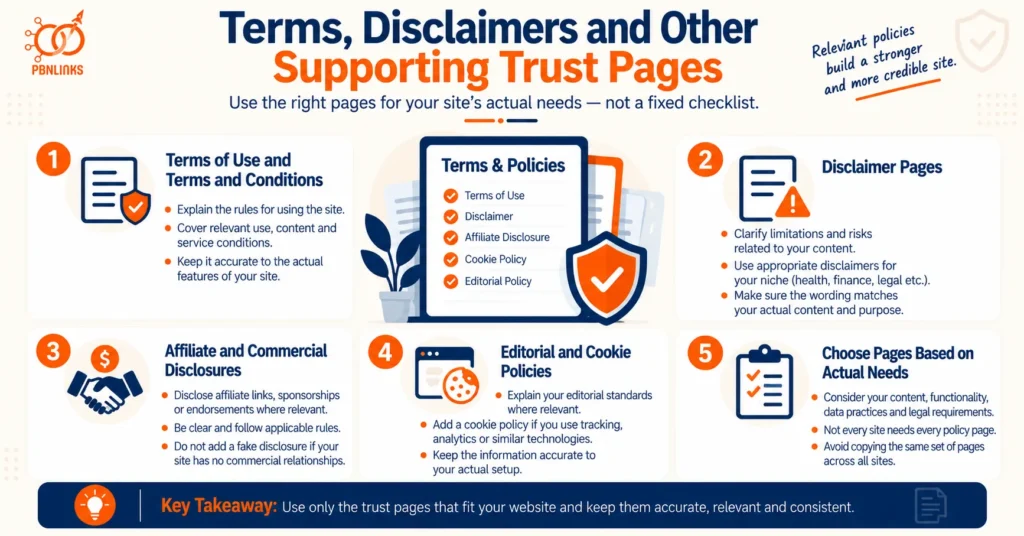
Terms, disclaimers, disclosures, and other supporting pages should reflect what a website actually does rather than being added from a fixed PBN checklist. The appropriate pages depend on the site’s content, functionality, commercial relationships, audience, and applicable requirements.
These pages serve different purposes, so they should not be treated as interchangeable trust signals.
Terms of Use and Terms and Conditions
Terms of Use or Terms and Conditions generally explain the rules that apply when someone accesses or uses a website.
Depending on the site, they may address matters such as acceptable use, intellectual property, user submissions, limitations, account-related rules, or other conditions relevant to the service being provided.
A simple informational site and a website offering accounts, subscriptions, downloads, or other interactive services may therefore require very different terms.
The important point is accuracy. Adding a long Terms page describing features the site does not offer does not make the website more complete.
Disclaimer Pages
A disclaimer clarifies limitations or relationships that readers should understand when using particular content or services.
The appropriate disclaimer depends on what the site publishes. For example, websites covering health, finance, legal topics, product recommendations, or other areas where readers could act on information may require different disclosures or professional review depending on the circumstances.
A generic disclaimer should not be used as a substitute for accurate content, appropriate expertise, or applicable legal obligations.
The wording should match the actual risks and purpose of the individual website.
Affiliate and Commercial Disclosures Where Relevant
Sites that receive compensation from affiliate links, sponsorships, endorsements, or other commercial relationships may need to disclose those relationships clearly.
A disclosure should help readers understand when a recommendation or link has a financial connection behind it. Where specific disclosure requirements apply, the placement and wording should follow the relevant rules rather than being hidden on an unrelated policy page.
For a PBN site with no affiliate or sponsored activity, adding a fabricated commercial disclosure would serve no useful purpose.
Editorial and Cookie Policies Where Relevant
Some websites may benefit from additional pages explaining their editorial standards, correction process, review procedures, or contributor practices.
A dedicated cookie notice or policy may also be appropriate depending on the technologies used, applicable privacy requirements, and how consent or tracking is handled.
Again, these pages should follow the website’s real setup. An editorial policy describing expert review is misleading if no such review occurs, just as a cookie policy should not describe technologies that are not actually used.
Choosing Supporting Pages Based on the Site’s Actual Needs
Not every PBN site needs every possible trust or policy page. The correct set of pages should be determined by the site’s real content, functionality, data practices, commercial relationships, and applicable requirements.
A practical review should ask:
- Does the site collect personal information?
- Does it use cookies, analytics, advertising, or similar technologies?
- Does it accept user accounts, comments, or submissions?
- Does it publish affiliate or sponsored content?
- Does its subject matter require relevant disclaimers?
- Are there editorial processes worth explaining?
- Do applicable laws or platform requirements require particular disclosures?
This approach is more useful than copying the same Terms, Disclaimer, cookie, and editorial pages across every domain.
For PBN site trust pages, accuracy should come before artificial variation. Standard legal wording may naturally appear across unrelated websites. The more meaningful network patterns arise when several sites repeatedly share the same site-specific details, irrelevant clauses, outdated references, formatting habits, placeholders, or errors alongside other identity similarities.
How Trust Pages Create PBN Footprints
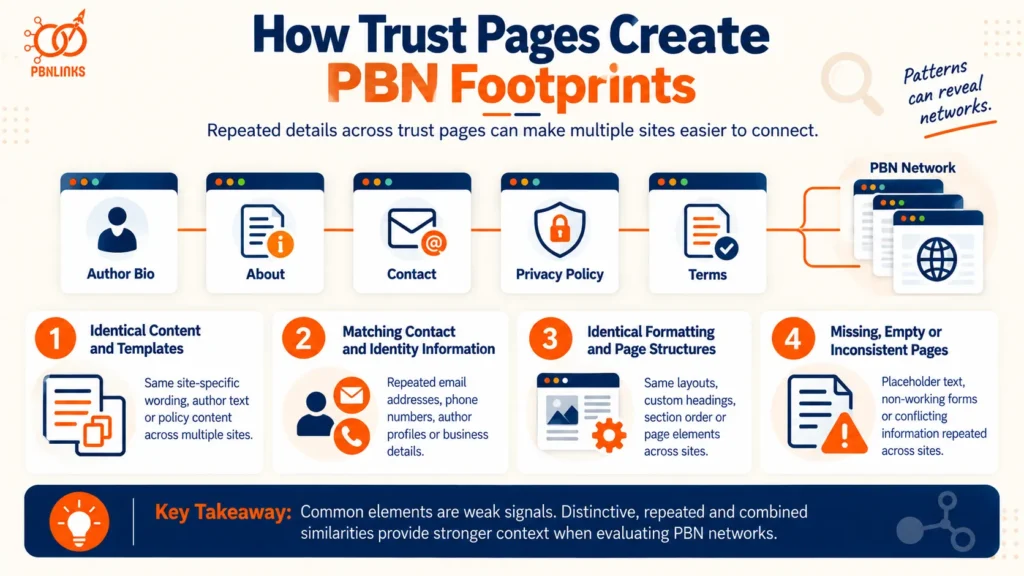
Trust pages such as About, Contact, Privacy Policy, and Terms pages can create PBN footprints when distinctive details and implementation patterns are repeatedly shared across multiple sites. The existence of similar trust pages is not unusual by itself. The concern is repeated combinations that make supposedly independent websites easier to associate with the same publishing workflow.
Identical Content and Templates
Copying the same About-page text, author descriptions, Contact-page copy, disclaimers, or site-specific policy content across multiple domains can create an obvious textual pattern.
Standard legal language should be treated differently. Privacy Policies and Terms pages naturally contain common terminology, so matching boilerplate alone provides limited context. More attention should be given to distinctive wording, the same custom sections, repeated site-specific statements, or identical leftover details.
Matching Contact and Identity Information
Repeated identity details can create stronger connections between sites. These may include the same email address, phone number, business information, author persona, organization name, profile image, or linked social account.
One matching detail does not establish that sites belong to a PBN. The pattern becomes more meaningful when several distinctive identity details repeatedly overlap across websites that otherwise appear unrelated.
Identical Formatting and Page Structures
Trust-page footprints can also appear through repeated implementation. Several sites may use the same unusual section order, custom headings, author-box structure, Contact-page layout, calls to action, or policy-page formatting.
Common website layouts have little value as evidence on their own. The more distinctive and consistently repeated the implementation is across multiple sites, the more useful it becomes as a network-level pattern.
Missing, Empty or Inconsistent Trust Pages
Not every website needs every possible trust page, so a missing About, Terms, or author page should not automatically be treated as a PBN footprint.
The greater concern is inconsistency. A site may present itself as an established publication while its About page contains placeholder text, its contact form does not work, its author profiles provide conflicting identities, or its policies reference another website.
These problems become more noteworthy when the same omissions, placeholders, contradictions, or errors recur across several sites.
For PBN site trust pages, the important distinction is therefore not simply whether pages look similar. Common web conventions are weak evidence, while distinctive, repeated, and combined similarities provide more meaningful context when evaluating network-level footprints.
Consistency Across Authors, About, Contact and Policy Pages
Authors, About pages, contact information, and policy pages should present a consistent picture of who operates the site, what it covers, and how it works. Each page serves a different purpose, but the factual information connecting them should not contradict itself.
A useful way to think about the trust surface is as one connected identity:
Author → Publisher → About → Contact → Privacy → Terms
When information changes at one point in this chain, related pages should be reviewed as well.
Matching Authorship With Site Identity
Author information should fit the identity and subject of the website.
If the About page describes a publication as being run by a particular team or organization, author profiles should make sense within that structure. Likewise, the topics attributed to individual contributors should reasonably align with their stated roles or areas of experience.
This does not mean every author page must repeat the About page. The goal is factual alignment, not duplicate wording.
Aligning About and Contact Information
The About and Contact pages should not present conflicting information about the website or organization behind it.
For example, if the About page identifies a particular business or publisher, the Contact page should not unexpectedly reference a different organization without explanation. Business names, locations, email domains, and other relevant details should remain consistent where they refer to the same entity.
Not every detail needs to appear on both pages. Information that does appear in multiple places should simply agree.
Keeping Privacy and Terms Information Consistent
Policy pages should reflect the website described elsewhere.
A Privacy Policy should not name a different domain, organization, or contact address because an old template was copied without being updated. Terms and disclaimers should also avoid referring to services, accounts, transactions, or business activities that the website does not actually provide.
The same principle applies when site functionality changes. Adding contact forms, advertising, affiliate relationships, or other relevant features may require existing disclosures to be reviewed.
Identifying Contradictory Identity Signals
Contradictions weaken the coherence of a site’s trust surface even when each page looks professional on its own.
Common problems can include:
- different publisher or organization names across pages
- conflicting author biographies or credentials
- old domains or company names left in policies
- contact details that do not match the stated site identity
- About-page claims unsupported by the rest of the site
- policies describing tools or activities that are no longer used
These inconsistencies often result from templates, site migrations, outdated content, or incomplete updates rather than from the existence of the pages themselves.
Maintaining a Coherent Trust Surface
The objective is not to make every PBN site trust page look or sound identical. It is to make the information within each individual site logically consistent.
A visitor moving from an article to an author profile, then to the About, Contact, and Privacy pages should not encounter conflicting explanations of who publishes the site or how it operates.
That creates a simple standard for reviewing the trust surface: different pages can serve different purposes and use different wording, but the underlying identity and factual details should remain consistent.
How to Audit PBN Site Trust Pages
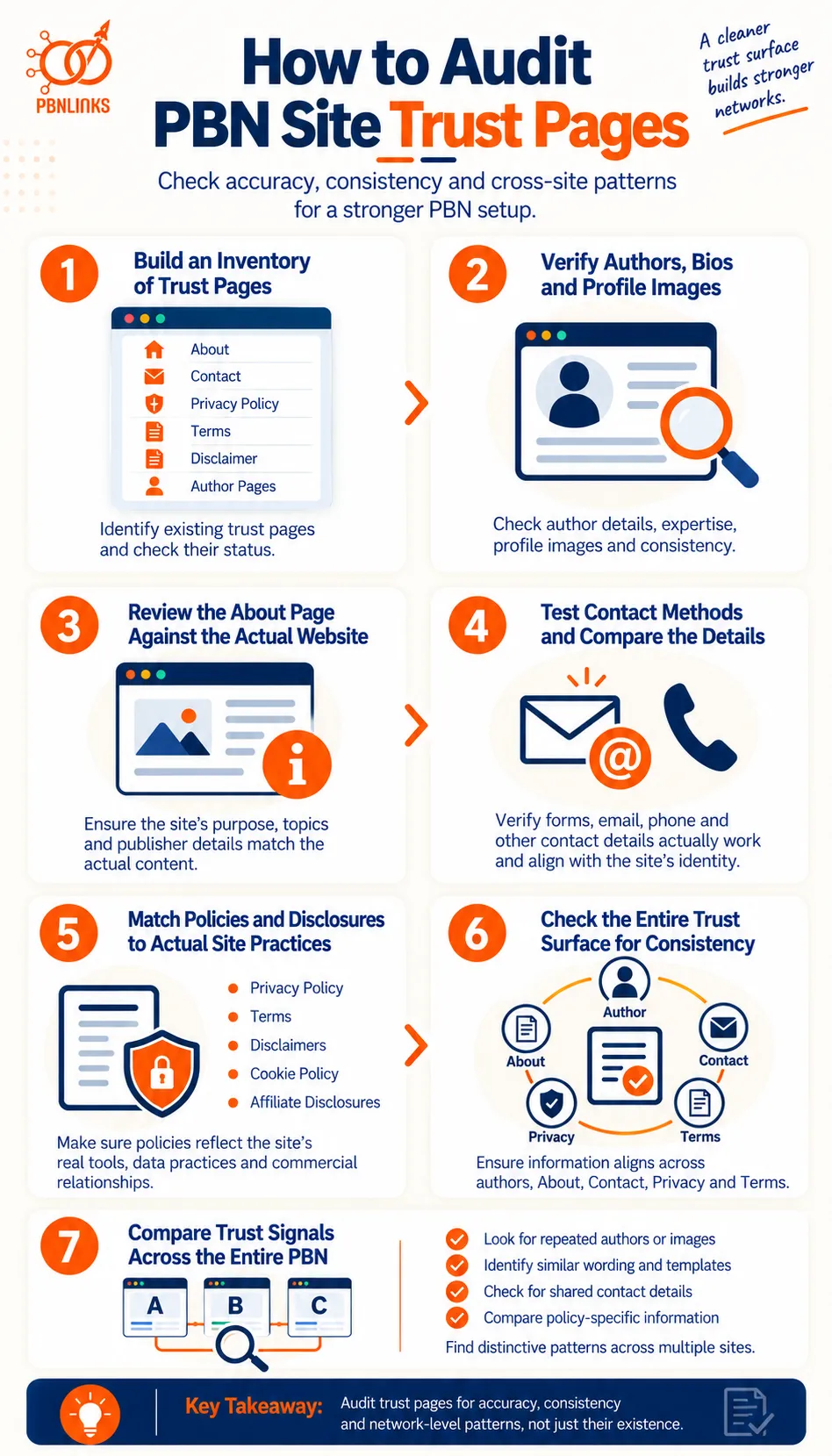
A PBN site trust-page audit checks whether authors, About and Contact information, policies, and other identity details are accurate and consistent with how the website actually operates. It can also reveal distinctive trust-page patterns that repeatedly appear across multiple network sites.
The process should start with each website individually and then move to cross-network comparison. The following steps provide a practical way to complete the audit.
Step 1: Build an Inventory of Trust and Identity Pages
Start by identifying the trust and identity elements that currently exist on the website. The purpose is not to decide whether the site has the “correct” number of pages, but to understand its existing trust surface before evaluating its quality.
Review relevant elements such as:
- About
- Contact
- Privacy Policy
- Terms of Use or Terms and Conditions
- Disclaimer
- author bios and profile pages
- editorial policies
- affiliate or commercial disclosures
- cookie information where relevant
Record each page and its status. Note whether it is complete, outdated, empty, duplicated, inaccessible, or still contains placeholder content.
Next, compare the inventory with how the site actually operates. A publication with named contributors may reasonably need author information, while a site collecting personal information through forms may require relevant privacy disclosures. Not every site needs every possible trust page.
Audit outcome: You should finish this step knowing which trust elements exist, which may be relevant but missing, and which require further review.
Step 2: Verify Authors, Bios and Profile Images
Next, examine the people presented as responsible for the site’s content.
Start with article bylines and follow them to any author bio, profile page, archive, or supporting identity information. For each author, check:
- whether the same name is used consistently
- whether the bio fits the topics attributed to the author
- whether experience and qualifications are represented accurately
- whether the author archive contains the expected content
- whether the profile image corresponds to the identity presented
- whether external identity references genuinely belong to that person
Do not evaluate an author simply by whether the profile looks professional. Check whether the information makes sense as a whole.
For example, a profile may describe someone as a home-improvement contributor while the author’s archive mainly contains unrelated financial, medical, and technology articles. That does not establish a problem by itself, but the mismatch deserves closer examination.
Profile images can also be checked through reverse-image search where necessary. A genuine contributor may naturally use the same professional headshot on several publications. The greater concern is conflicting identities, unsupported credentials, or the same photograph being presented as multiple unrelated people.
Audit outcome: Each author should have a clear, accurate, and internally consistent publishing identity.
Step 3: Review the About Page Against the Actual Website
Once authorship is understood, examine how the website describes itself.
The About page should accurately represent the site’s purpose, topical focus, publisher, contributors, or publishing approach where those details are relevant.
Compare its claims with the rest of the website and ask:
- Does the stated topic match the content being published?
- Does the named publisher or organization appear consistently elsewhere?
- Are contributors correctly represented?
- Are claims about experience, history, awards, or expertise supportable?
- Does the page contain information from an older version of the site?
- Has another site’s name or description been left behind?
The objective is not to make the About page longer. A short and specific page that accurately explains the publication is more useful than a lengthy page filled with generic credibility claims.
Audit outcome: The About page should describe the website readers are actually visiting and remain consistent with its authorship and publisher information.
Step 4: Test Contact Methods and Compare the Details
Do not stop at checking whether a Contact page exists. Verify that the communication methods provided to visitors actually work.
Test the contact form where practical. Check whether it loads, accepts the expected information, and reaches an active communication channel. Review any email address, phone number, organization, location, or other contact information displayed on the site.
Then compare these details with other trust pages.
For example:
About page: Site operated by ABC Media
Contact page: Email belongs to an unrelated organization
Privacy Policy: Names XYZ Publishing
Each page may look acceptable in isolation, but together they present conflicting information about who operates the website.
Also identify what information the contact form collects. Names, email addresses, phone numbers, and other personal information should be considered when reviewing the site’s privacy disclosures in the next step.
Audit outcome: Contact methods should work, fit the site’s identity, and connect logically with its privacy information.
Step 5: Match Privacy, Terms and Disclosures to Actual Site Practices
Next, examine whether the site’s policies describe what the website actually does.
Instead of asking only:
“Does the site have a Privacy Policy?”
Ask:
“Does this Privacy Policy describe this specific website?”
Compare the Privacy Policy, Terms, disclaimers, cookie information, affiliate disclosures, and other relevant pages with the site’s actual functionality.
Check whether the website uses features such as:
- contact forms
- analytics
- cookies or similar technologies
- advertising platforms
- affiliate links
- embedded third-party services
- user accounts or comments
- newsletters
- sponsored content
Then determine whether relevant disclosures correspond to those practices.
Look particularly for signs that a template was not properly adapted, including:
- another domain name
- another business or organization
- outdated contact information
- services that are no longer used
- services the site does not use
- [Company Name] or similar placeholders
- outdated references
- irrelevant clauses
Templates themselves are not necessarily a problem. Privacy and Terms documents naturally contain standardized language. The issue is whether site-specific information accurately describes the website where the policy appears.
Audit outcome: Policies should correspond to the site’s actual practices, while ordinary legal language should not be treated as a meaningful network footprint by itself.
Step 6: Check the Entire Trust Surface for Internal Consistency
After evaluating the individual elements, connect them.
Follow the site’s identity chain:
Author → Publisher → About → Contact → Privacy → Terms
Compare recurring facts across these elements, including names, organizations, roles, email addresses, domains, locations, business information, stated expertise, and relevant commercial relationships.
The wording does not need to be identical. The underlying facts should be consistent.
For example, an author bio and About page can describe a contributor differently while still referring to the same person and compatible role. Similarly, Contact and Privacy pages can use different wording while identifying the same organization where appropriate.
When contradictions are found, classify them by their nature:
- Minor: outdated wording or presentation issue
- Operational: broken form, abandoned email, or obsolete disclosure
- Identity: conflicting author, publisher, organization, or contact details
- Credibility: unsupported credentials, fabricated information, or misleading claims
This makes it easier to prioritize corrections rather than treating every inconsistency as equally important.
Audit outcome: A visitor should be able to move from an article to its author profile, About page, Contact page, and policies without encountering conflicting explanations of who operates the site or how it functions.
Step 7: Compare Trust Signals Across the Entire PBN
Only after each website has been evaluated individually should the audit move to network-level comparison.
Compare recurring authors, profile images, About-page wording, contact information, policy details, page structures, and unusual errors across the sites. A matrix can make these relationships easier to identify.
Here is an example:
| Trust Element | Site A | Site B | Site C |
| Same author persona | No | Yes | Yes |
| Reused profile image | No | Yes | Yes |
| Duplicate author bio | No | Partial match | Partial match |
| Similar About wording | Low | High | High |
| Repeated contact details | No | Same email | Same email |
| Same policy-specific details | Low | High | High |
| Matching page structure | Common only | Distinctive match | Distinctive match |
| Matching unusual errors | No | Same error | Same error |
In this example, Site B and Site C deserve closer review because several distinctive characteristics overlap, while Site A shares few meaningful similarities. No individual match establishes a network relationship. The significance comes from several recurring elements pointing in the same direction.
Do not assign the same weight to every similarity. Classify findings according to their usefulness:
Common: Widely used across unrelated websites and weak as a standalone signal.
Distinctive: Specific or unusual enough to be useful for comparison.
Repeated: The same distinctive characteristic appears across several sites.
Combined: Multiple distinctive characteristics repeatedly overlap across the same group of sites.
For example, three sites using the heading “Privacy Policy” tells you very little. If those same sites share an author persona, profile image, unusual About-page wording, contact email, custom policy paragraph, and identical leftover error, the combined pattern provides considerably more context.
The purpose of this comparison is not to make every site artificially different. Changing ordinary headings, common legal terminology, or standard website conventions simply for variation can create unnecessary work.
A better order of priority is:
Fix inaccurate information → resolve internal contradictions → correct broken or outdated elements → review distinctive cross-site repetition → evaluate combined patterns.
Final Trust-Surface Audit Test
Before completing the audit, ask three final questions:
1. Is the information accurate?
Authors, organizations, contact details, credentials, and policy statements should reflect reality.
2. Is the information internally consistent?
Author, About, Contact, Privacy, and Terms information should support the same underlying site identity.
3. Are distinctive patterns repeatedly shared across the network?
Common web conventions matter far less than unusual combinations of repeated personas, wording, contact details, templates, and errors.
For PBN site trust pages, the final audit framework is:
Accuracy first → consistency second → cross-site comparison third.
Following this sequence keeps the audit focused on improving the individual website first and evaluating meaningful network-level patterns second.
Best Practices for Building a Coherent PBN Trust Surface
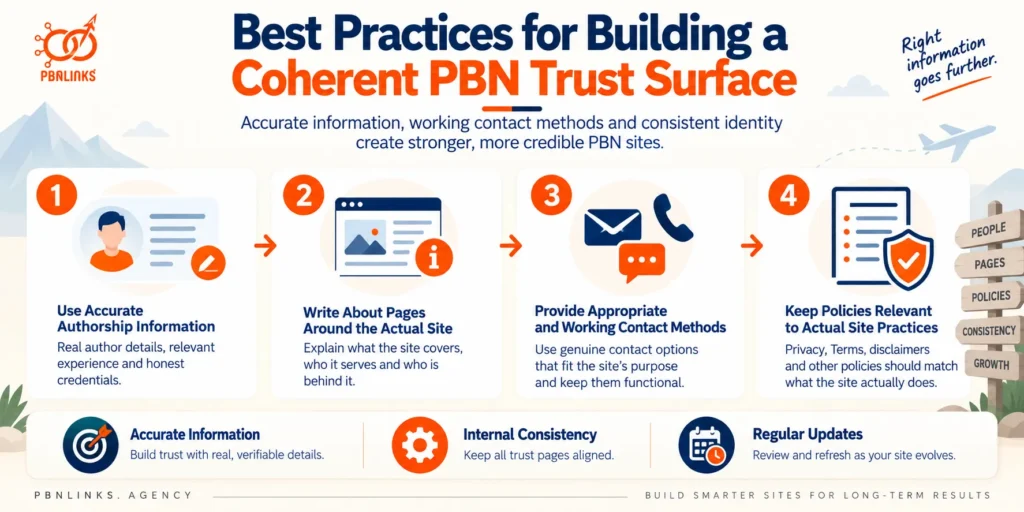
A coherent PBN trust surface comes from accurate authorship, site-specific information, working contact methods, relevant policies, and consistent identity details across the website. The goal is not to make a site look trustworthy through extra pages, but to ensure that the information presented to readers is useful, supportable, and aligned with how the site actually operates.
The following practices help maintain that consistency without turning trust pages into a standardized network template.
Use Accurate Authorship Information
Author names, biographies, experience, and credentials should accurately represent the person or publishing identity behind the content.
Avoid adding qualifications, job histories, awards, or specialist experience simply to make an author appear more authoritative. Where expertise matters, explain it specifically and proportionately rather than relying on broad labels such as “industry expert.”
Author information should also fit the content attributed to that person. If an author’s role or area of coverage changes, the bio and profile page should be updated accordingly.
Write About Pages Around the Actual Site
An About page should be written from the identity of the individual website rather than copied from a generic template.
Explain what the site covers, who it serves, who publishes or contributes to it where relevant, and any useful background that helps readers understand the publication.
Avoid generic claims that could be placed on almost any domain. Site-specific information naturally produces a more coherent About page because it is based on the website’s real topic, purpose, and publishing model.
Provide Appropriate and Working Contact Methods
Give visitors a practical way to contact the site and make sure that method works.
A small informational publication may only need an email address or contact form. A genuine business site may appropriately include a phone number, location, operating information, or other business details.
Do not add addresses, telephone numbers, organizations, or other contact information merely to make the site appear more established. The contact setup should match the site’s actual identity and purpose.
Keep Policies Relevant to Actual Site Practices
Privacy, Terms, disclaimer, cookie, affiliate, and other policy pages should correspond to what the website actually does.
For example, if the site collects information through a contact form, uses analytics, displays advertising, or publishes affiliate content, relevant disclosures should reflect those practices where appropriate.
Templates can provide a starting structure, but site-specific details need to be checked carefully. Remove irrelevant clauses, update outdated information, and make sure names, domains, contact details, and referenced services belong to the current website.
Avoid Fabricated Credentials and Identity Details
Trust should not be manufactured through invented people, qualifications, businesses, addresses, or professional histories.
A polished author profile or detailed About page does not add meaningful credibility if the underlying information is false.
The same applies to fabricated social profiles, awards, certifications, partnerships, or organizational claims. If a particular detail cannot be represented accurately, it is better to omit it than create an unsupported identity signal.
Review Reused Personas and Profile Images
When managing multiple sites, periodically compare author personas and profile images across the network.
Reuse is not automatically problematic. A genuine contributor may publish on several websites and reasonably use the same photograph. What deserves attention is unexplained reuse, such as the same photograph representing different people or the same biography and credentials being applied to supposedly unrelated personas.
Review the complete identity rather than changing names or images simply for variation.
Keep Trust Information Consistent Across the Site
Treat authors, About information, contact details, and policies as parts of one connected identity:
Author → Publisher → About → Contact → Privacy → Terms
When important information changes, check the other pages that reference it.
For example, changing an organization name or contact address may require updates to the About page, Contact page, Privacy Policy, Terms, and relevant author information.
The wording can differ from page to page. The underlying facts should not contradict each other.
Build Site-Specific Trust and Identity Workflows
Standardize the quality-control process, not the public identity of every site.
A network can use the same internal review standards for checking authorship, contact methods, policies, and accuracy without publishing the same wording, personas, page structures, or site-specific details everywhere.
This distinction is important. A repeatable editorial process improves consistency behind the scenes, while each website’s public trust surface should reflect that site’s genuine purpose and characteristics.
Review and Update Trust Pages Over Time
Trust pages should not be treated as one-time setup tasks.
Websites change. Contributors leave, contact addresses change, plugins and analytics services are replaced, affiliate relationships begin or end, and publishing models evolve.
Schedule periodic reviews and also revisit relevant pages after significant site changes. Check for outdated author information, broken forms, obsolete contact details, old domain references, inaccurate policy statements, and disclosures that no longer match current practices.
For PBN site trust pages, the strongest long-term principle is simple: keep the information accurate, keep related details consistent, and update the trust surface whenever the website itself changes.
Conclusion: PBN Site Trust Pages Should Create a Coherent Site Identity
In conclusion, PBN site trust pages should create an accurate and consistent identity across the website. Author bios, About and Contact pages, Privacy Policies, Terms, and other relevant pages should reflect the site’s actual purpose, contributors, functionality, and publishing practices rather than exist simply to complete a checklist.
Consistency across these elements is equally important. Author information should align with the site’s identity, contact methods should work, and policies should reflect actual practices. Fabricated credentials, conflicting details, outdated information, broken forms, and copied placeholders can weaken the overall trust surface.
At the network level, common headings, standard legal wording, and familiar layouts should not automatically be treated as meaningful footprints. Greater attention should go to distinctive, repeated, and combined patterns, including reused personas, profile images, contact details, unusual duplicate wording, and shared errors across multiple sites. The practical priority remains accuracy first, consistency second, and cross-site comparison third.
Ready to strengthen your PBN strategy? Build around relevant placements, credible publishing environments, and quality backlinks that support your wider SEO goals. A well-planned approach can help you develop a stronger, more sustainable link profile while keeping quality and relevance at the center of every placement.
Frequently Asked Questions About PBN Site Trust Pages
What Are PBN Site Trust Pages?
PBN site trust pages are pages and identity elements that explain who is behind a website, what it covers, how visitors can make contact, and which policies apply. Common examples include About, Contact, Privacy Policy, Terms, Disclaimer, and author pages.
Which Trust Pages Should a PBN Site Have?
There is no universal list of trust pages that every PBN site must have. The appropriate pages depend on the site’s content, authorship, data collection, functionality, commercial relationships, and applicable requirements. Pages should exist because they serve a real purpose, not simply to complete an SEO checklist.
Do PBN Sites Need Author Bios?
No, author bios are not a universal Google requirement. They can be useful when readers would reasonably want to know who created the content. When authors are identified, names, bios, expertise, and profile information should be accurate and consistent.
Can PBN Authors Use Pen Names?
Yes, a consistent publishing or pen name can be used, but it should not be supported by fabricated credentials or deceptive identity details. Invented qualifications, employment histories, awards, or professional experience can undermine the credibility the author profile is intended to provide.
Can the Same Author Appear on Multiple PBN Sites?
Yes, a genuine author can contribute to multiple websites. Author reuse becomes more noteworthy when it is combined with duplicated bios, repeated profile images, unusual credentials, identical author-page structures, or other distinctive similarities across several sites.
Can Reused Author Photos Create a PBN Footprint?
A reused author photo can contribute to a PBN footprint, but it is weak evidence by itself. A genuine author may use the same headshot across publications. The pattern becomes more meaningful when the image is tied to conflicting identities or repeatedly overlaps with matching bios and other distinctive details.
Does Every PBN Site Need a Privacy Policy?
No single rule says every PBN must have the same Privacy Policy setup. Privacy requirements depend on factors such as data collection, technologies used, audience, jurisdiction, and applicable laws. The policy should accurately reflect the individual site’s actual practices.
Can the Same Privacy Policy Be Used Across Multiple PBN Sites?
Standard privacy language can appear across multiple sites, but site-specific details should be reviewed individually. Repeated boilerplate is less meaningful than identical domain-specific information, contact details, irrelevant clauses, placeholders, or unusual errors appearing across several sites.
Do About, Contact and Author Pages Directly Improve Google Rankings?
Google does not state that simply adding About, Contact, or author pages provides a direct ranking boost. These pages can help readers understand a site’s identity, background, and authorship. They should therefore provide useful, accurate information rather than be added as supposed ranking signals.
What Makes Trust Pages a PBN Footprint?
Trust pages become a more meaningful PBN footprint when distinctive similarities repeatedly overlap across multiple sites. One common heading or legal phrase means little. Reused personas, profile images, contact details, unusual wording, templates, and matching errors become more noteworthy when several occur together.